Local SEO
Setup & Google Business Profile
Start with your business name, see where you show up, then connect Google Business Profile.
Start by telling Grandranker what your business is called and where it is. We find your listing on Google Maps and start tracking where you rank - no Google login needed. Connecting your Google Business Profile (GBP) comes next, and it unlocks reviews, posts, photos and profile editing.
Start with your business name
The first onboarding screen asks two things:
- What is your business called? - the name as it appears on Google Maps, for example "Memphis Plumbing Co".
- Where are you? - the town or city, for example "Memphis, TN".
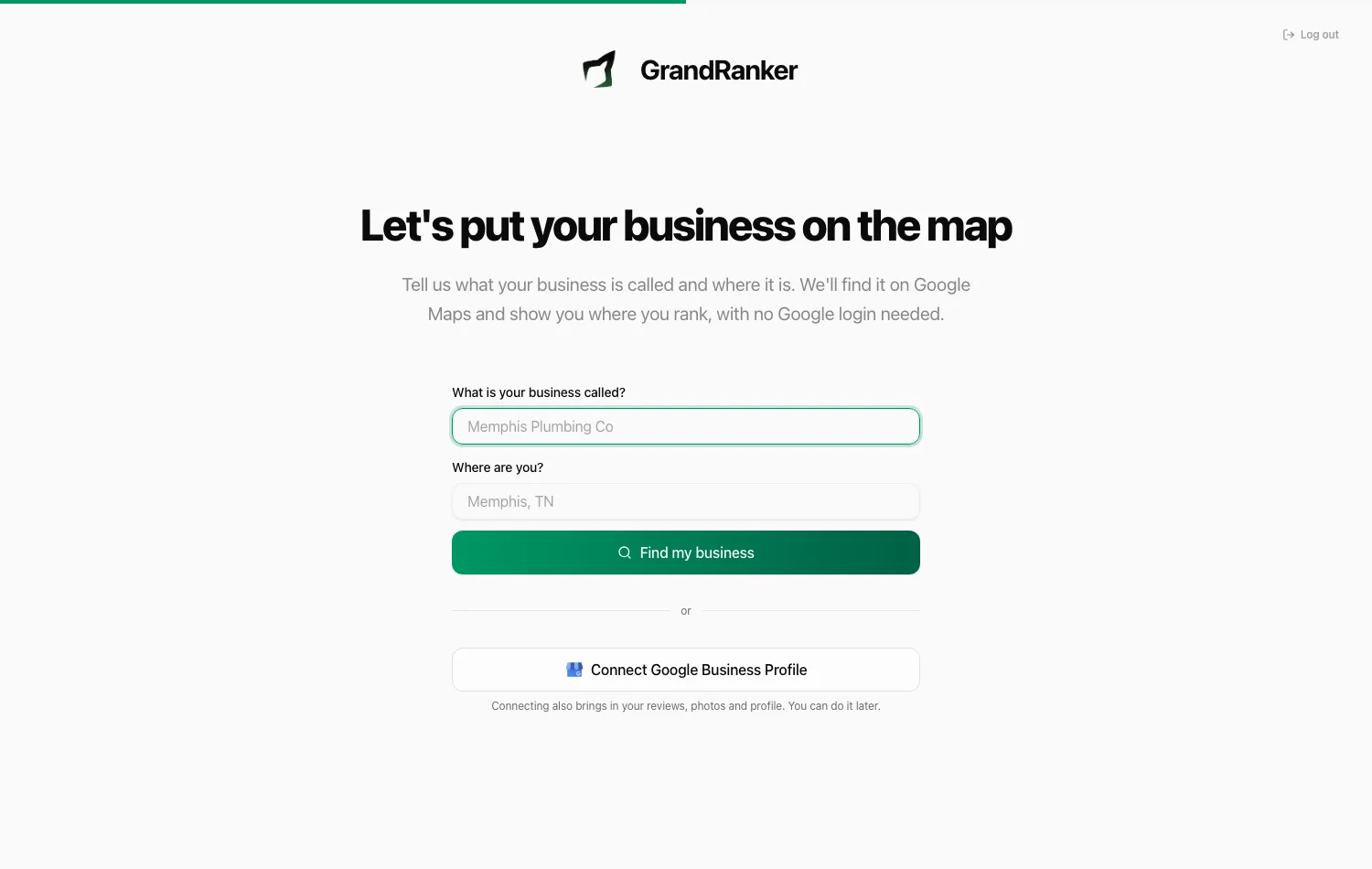
Click Find my business. Grandranker searches Google Maps around that town and shows up to five matching listings, closest name first. Each card shows the category, address and rating so you can tell similar businesses apart.
Pick yours and click That's my business. Nothing is selected for you, even when only one result comes back - you always confirm.
Next comes one question: What do customers type to find you? One search is enough to start, and the box is prefilled with a likely one from your category and town, for example "plumber memphis". Press Check the map and the first map check starts for that search; you land on Rankings while it runs and the line above the map appears when it finishes. The screen says so too: a check usually takes a couple of minutes, sometimes longer when we are busy. You can add more searches later on the Searches page.
Grandranker also lists a few other searches your customers might use, so you have something to add next.
You don't need to be the owner of the Google listing to do this. The search reads public Google Maps data, the same as any customer searching for you.
If we can't find your business
- None of the results is yours? Click None of these is my business.
- Nothing came back at all? You'll see "We couldn't find [name] in [town] on Google Maps."
- Town not recognised? You'll see "We couldn't place that town or city. Try the search again with a nearby one, or carry on with just your website."
- Search unavailable? You'll see "We couldn't reach Google Maps just now." That one is on our side, not yours - try again in a moment.
In every case you can click Search again to retry with a different spelling or a nearby town, or Connect Google Business Profile instead and pick your listing from your Google account. If your business has no Google listing yet, create one on Google first, then come back and search again: without a listing there is nothing for a map check to find.
One business at a time
You can add one business this way. If you try to add a second you'll see "You have already added a business. Connect Google Business Profile to add more." Connecting GBP is how you bring in additional locations - see Adding more locations.
Connect your Google Business Profile
Ranking data works without it. Reviews, posts, photos, editing your listing and the change watch do not - those need the connection.
- Click Connect Google Business Profile - on the onboarding screen, as the first task on your weekly list, in the "Finish setting up" checklist, or on the Profile page under Local SEO.
- Sign in with the Google account that manages the profile and grant access.
- Grandranker fetches your locations, usually within seconds. Nothing showing? Use Try again or Reconnect Google.
Use an account with owner or manager access. An account that doesn't manage any listings shows no locations.
If you already started with a business name, connecting Google upgrades the listing you already have. It is not added twice, your ranking history is kept, and you are not charged for a second location.
Connect Google is your first task
Until you connect, your weekly task list shows a single task: Connect your Google Business Profile. Every other task edits your profile, lists your services, publishes a post, uploads a photo or replies to a review, and all of those need the connection - so Grandranker shows you nothing it can't help you finish.
This one task can't be dismissed, because everything else waits behind it.
Once you're connected, the weekly list fills in - see Your weekly tasks.
Choose your locations
The picker on the Profile page asks Which of your businesses should we look after?
- Tick one or more businesses from the list. Each card shows the business name, category, address and city so you can tell similar listings apart. Businesses you leave unticked are left alone.
- When there is more than one, star the main one. That is the business Grandranker shows you first, and the default for map checks.
- Your plan includes one location. Ticking more shows what they cost before anything is charged - see Adding more locations below.
Grandranker pre-fills business name, industry, city and region from GBP - only fields you haven't set.
No website on your listing? You'll be prompted to add one - every business in Grandranker needs a website address.
Adding more locations
Local SEO includes one Google Business Profile. Each additional profile you switch on is $19 per month.
Only the profiles you switch on are billed. You can see every business on your Google account in the list without paying for them; a profile costs nothing until you activate it for tracking, scoring and tasks.
A business you added by name, before connecting Google, is never billed as an extra location.
As you tick profiles, the picker shows a running total, for example "3 selected - 2 extra, $38/month added to your plan." Nothing is charged until you confirm, and the confirmation names the plan the charge lands on. Switch a profile back off and the charge comes off your next invoice, prorated. Your profile and its history are kept, so you can switch it on again later.
If you were already using Local SEO before 2 September 2026, every profile you had switched on at that point stays included at no extra cost, however many that is. You are only charged for profiles you add after that date.
Extra locations appear as their own line on your billing page, with the count and monthly total, so your invoice stays readable.
If your listing has no website
A Domain in Grandranker needs a website URL. If your Google listing doesn't have one, you'll be asked to add it: "This listing has no website - add yours." Enter your site's URL to finish setup.
The setup checklist
The Local SEO home shows a Finish setting up card until these are done:
- Connect Google Business Profile
- Select your location
- Check where you show up on the map
The card disappears once all three are done. If you started by searching for your business, Select your location is already ticked and your first map check starts on its own, so Connect Google Business Profile is the only one left.
The Profile page
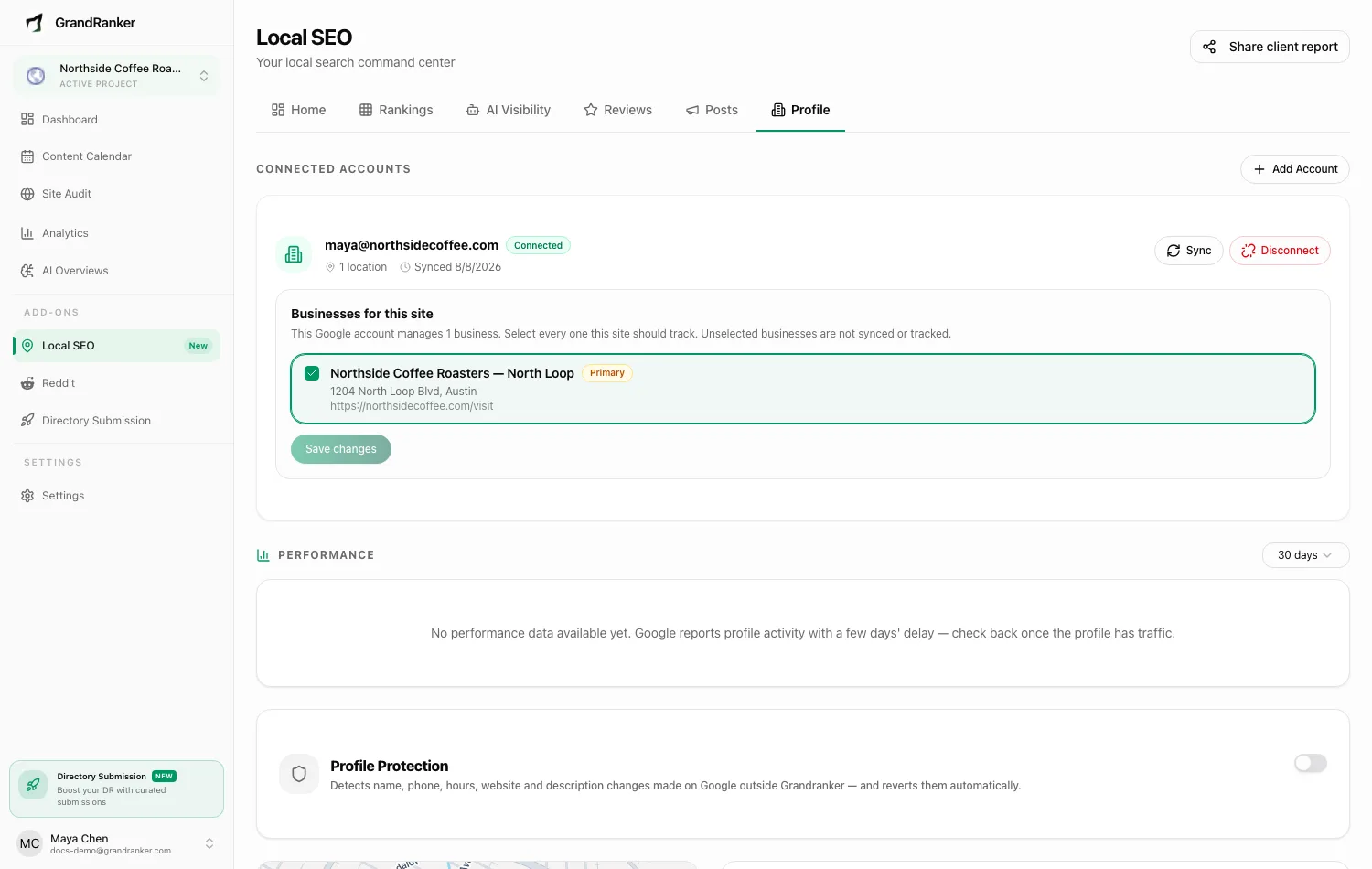
The Profile page under Local SEO is your Google listing, in this order:
- What your listing is missing: a short amber card naming the empty parts - no description, too few photos, no phone, no website, no hours, no other business types - each with a link that opens the right place to fix it. When there is nothing missing it reads "Your listing looks complete."
- Your listing: a picture band across the top, then the name, category, rating, address, phone, website, business types, description and hours, editable in place. Changes go to Google. Rapid edits may hit Google's limit: "Too many profile edits - wait a minute and try again."
- Services: what your listing offers on Google, with Add services and Write descriptions - see Add services.
- Photos of your work: upload up to 20 at once and Grandranker puts one on your listing each Tuesday and Friday - see Photos of your work.
- Attributes: amenities, accessibility, payments and the other details Google shows on your listing, behind an Edit attributes button.
- Watch my listing for changes: the switch that emails you when your listing changes without you - see Watching for changes.
- Your Google account, at the bottom: the account that manages the listing, with Update from Google, Disconnect, and Add another Google account. The line under the account shows when it was last updated, and under it sits the notice saying Grandranker works on your profile as a third party.
The picture band at the top of your listing is the cover photo you have on Google. If your listing has no cover photo, the band shows a map of where the business sits instead, with your name on the pin. You can drag it, zoom it with the + and - buttons, and press the button that appears to come back to the business. No ranking data is drawn on it - it shows where you are, not how you rank. The wheel is deliberately left alone so the map doesn't swallow the page as you scroll past.
Google data (locations, reviews) is updated once a day on its own. Press Update from Google to fetch it now.
The numbers Google reports for your listing - calls, direction requests and website clicks - sit at the top of the Home screen rather than here.
FAQ
Do I need a Google login to start?
No. Enter your business name and town, pick your listing, and rank tracking starts. Connecting Google Business Profile adds reviews, posts, photos, profile editing and protection.
I don't have the Google login for my business. What now?
Start with your business name and use Rankings and Searches straight away. When you get access to the Google account - or your agency hands it over - connect it then, and the listing you're already tracking is upgraded in place.
Will connecting Google create a duplicate of my business?
No. Grandranker matches the listing you already added and upgrades it, keeping its ranking history. You are not charged for a second location.
Can I track more than one location?
Yes. Your plan includes one profile, and each additional one is $19 per month - see Adding more locations. Switch between profiles across the Local SEO pages.
Why "This website is already registered on another account"?
Each website belongs to one Grandranker account. Contact support if it's registered elsewhere.
Can I disconnect Google later?
Yes: Disconnect under Your Google account at the bottom of the Profile page, with a confirmation before anything happens. Map checks keep working; reviews, posts, editing and the change watch need the connection.
Not on Local SEO yet? It is a $39/month add-on to any Grandranker plan, and also available as a plan of its own. If you already have it, this button opens your Local SEO home.
Add Local SEO to my planStill stuck? [email protected]