AI Visibility
Queries & Prompts
Manage the prompts Grandranker checks across AI platforms.
Queries are the questions Grandranker asks AI models on your behalf, e.g. "What are the best project management tools?" Every scan runs your active queries across your monitored platforms. Manage them on the Queries tab of AI Overviews.
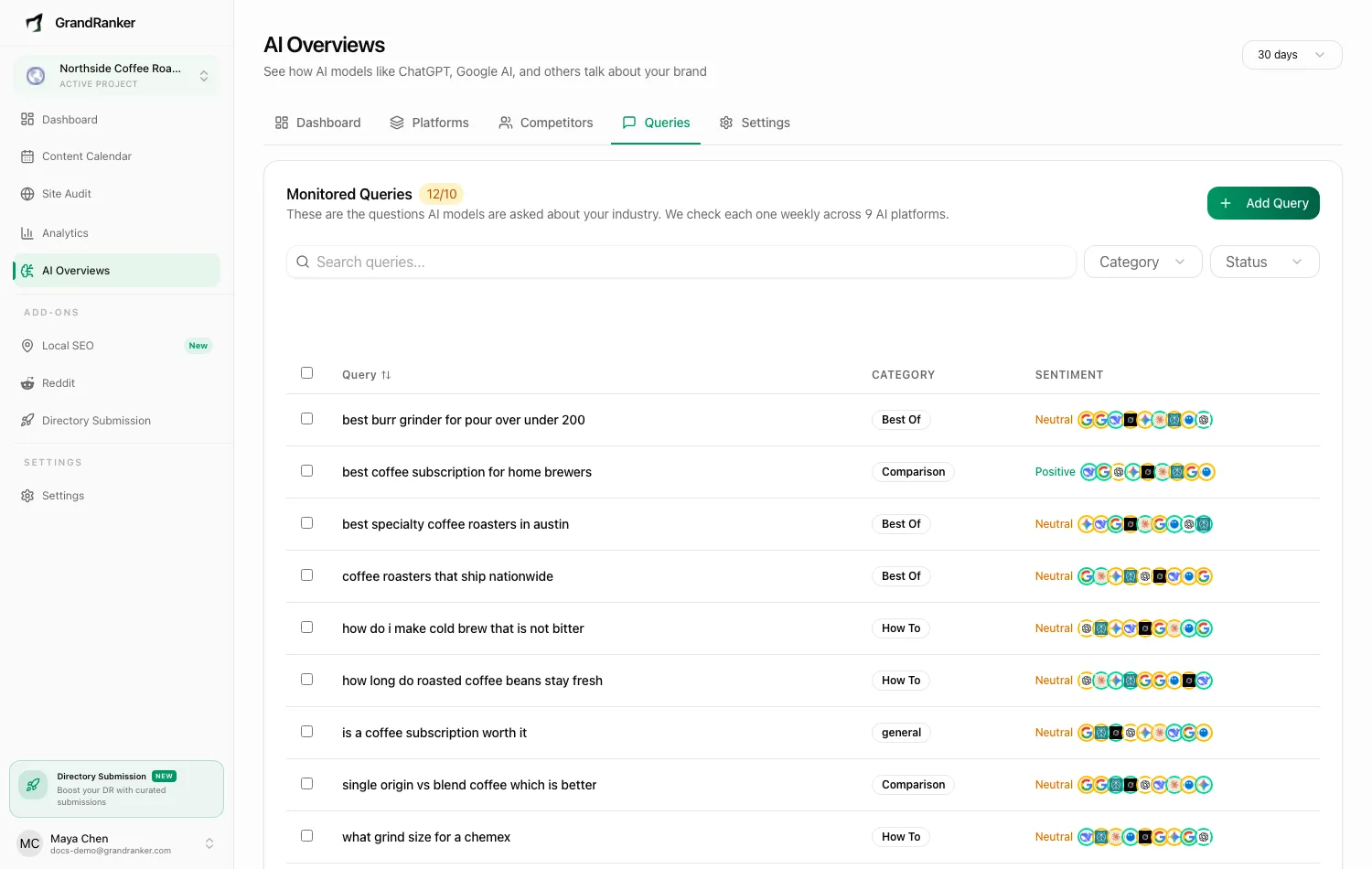
The Monitored Queries table
Header shows active queries against your limit (e.g. 7/10). Each row shows text, category, sentiment. You can search, filter by category (Comparison, How To, Best Of, Industry) or status (Active/Paused), sort by Query, edit/delete a row, or bulk-delete selected rows.
Click a query for its AI responses per platform, mention/citation counts, and a date picker to compare scans.
Adding queries
- Add manually — enter query text, optionally pick a category.
- AI suggest — generates queries from your brand profile. Also runs automatically on Run First Scan.
- Import from keywords — convert tracked keywords into queries in one click. Stops at your active query limit.
- Discover — proposes additional queries; review and add the ones you want.
Query limits
Max active queries per domain: 10 by default. Past the limit: "Maximum of 10 active queries allowed. Deactivate some queries first." Pause instead of deleting — history is kept and queries can be reactivated.
Keep the list focused on questions that actually drive buying decisions. Ten sharp queries beat fifty vague ones.
Acting on query results
Bulk-generate articles for selected queries. If AI isn't mentioning you for a query, a page that answers it directly is the fix — it lands in your content pipeline like any other draft. Queries where competitors appear but you don't are surfaced separately; see Citations & Content Gaps.
FAQ
What makes a good monitoring query?
A full question with purchase intent, e.g. "What is the best invoicing tool for freelancers?" — not a bare keyword.
Can I monitor queries in other languages?
Yes. Translate a query into additional languages to see how AI answers differ per market.
Do paused queries count against my limit?
No. Pausing frees a slot immediately.
Still stuck? [email protected]