Account & Billing
Webhooks
Get notified on your endpoint when articles are ready or published.
Webhooks push article data to your own endpoint the moment something happens — no polling. This is how the Custom API integration delivers articles to headless sites, and it works alongside any other integration.
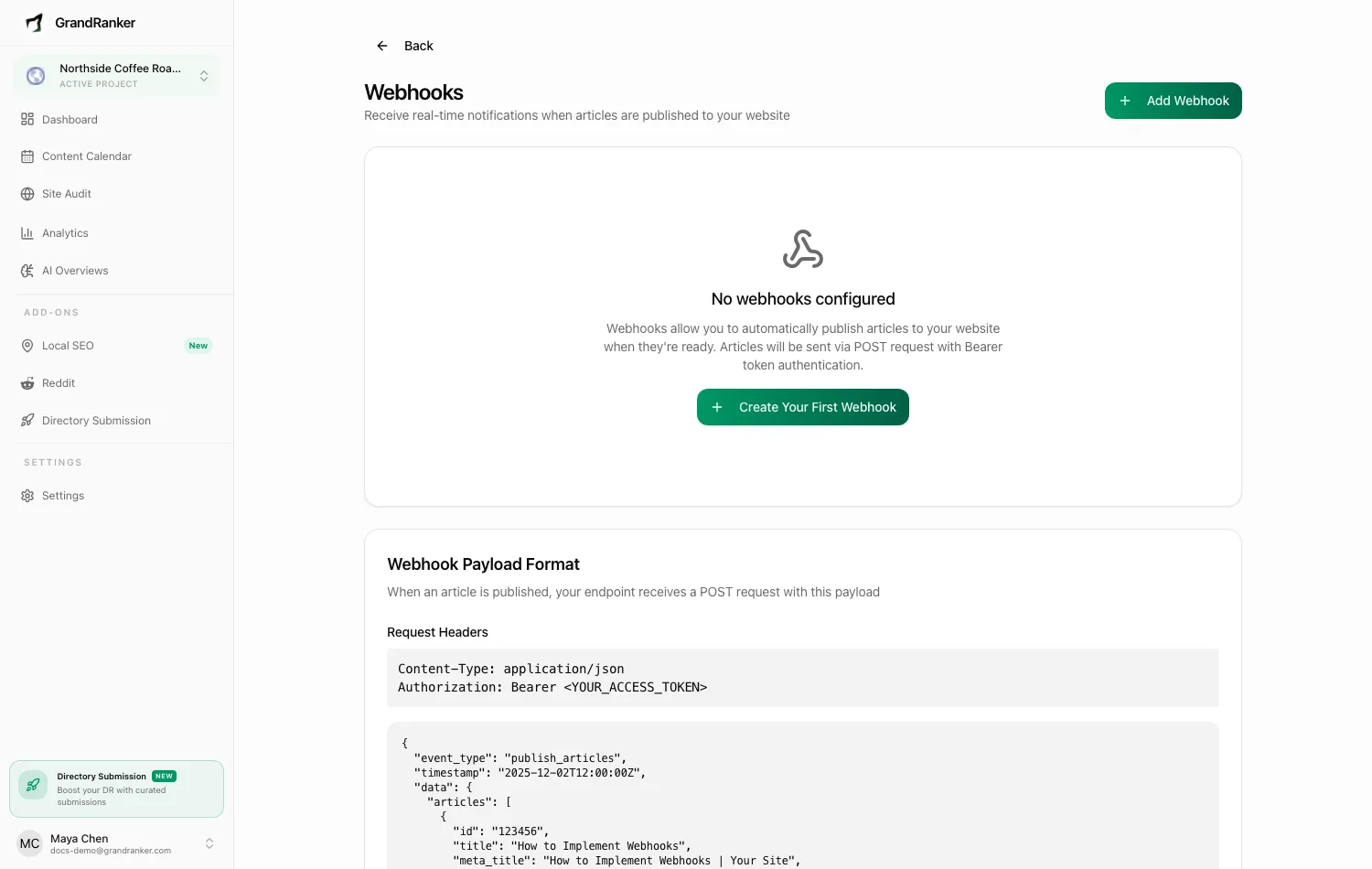
Manage webhooks per website at https://app.grandranker.com/webhooks (admin or owner role, with a website selected).
Events
Every webhook is subscribed to all available events:
| Event | Fires when |
|---|---|
| Article Published | An article is published to your website |
| Article Updated | A published article is edited and re-published |
| Article Deleted | An article is deleted |
| Article Generated | A new article finishes generating |
| AI Overview Alert | An AI visibility check raises a warning or critical alert |
| AI Overview Snapshot Complete | An AI visibility snapshot run finishes |
Creating a webhook
- Open Webhooks and click Add Webhook.
- Enter a Name and the Endpoint URL, e.g.
https://yourwebsite.com/api/webhook. - Copy the Access Token from the confirmation dialog — it won't be shown again in full. Your endpoint should validate the
Authorization: Bearer <token>header. View it again later via View Access Token in the row menu. - Click Send Test to confirm your endpoint responds.
Creating a webhook immediately publishes all existing draft articles for that website to your endpoint.
Payload format
Grandranker POSTs to your endpoint (you never POST to us). Requests are JSON with Content-Type: application/json, User-Agent: Grandranker-Webhook/1.0 and Authorization: Bearer <your access token>. Your endpoint must validate the token and return a 2xx status.
This is the exact body — the same shape you get from Send Test:
{
"event_type": "publish_articles",
"timestamp": "2025-01-15T10:30:00+00:00",
"data": {
"articles": [
{
"id": "9b1c7f2e-3a4d-4c8e-9f10-2b7d5e6a1c34",
"title": "How to Improve Your Local SEO",
"meta_title": "How to Improve Your Local SEO | Example",
"subtitle": "A practical guide for small businesses",
"content_markdown": "# How to Improve Your Local SEO\n\n...",
"content_html": "<h1>How to Improve Your Local SEO</h1><p>...</p>",
"publish_date": "January 15, 2025",
"category": "Local SEO",
"type": "blog",
"read_time": "6 min read",
"word_count": 1240,
"author_name": "Jane Doe",
"author_title": "SEO Specialist",
"author_initials": "JD",
"breadcrumb_title": "How to Improve Your Local SEO",
"meta_description": "Practical steps to rank higher in local search results.",
"focus_keyword": "local seo",
"image_url": "https://cdn.grandranker.com/images/local-seo.jpg",
"slug": "how-to-improve-your-local-seo",
"tags": ["local seo", "google business profile"],
"faqs": [
{ "name": "How long does local SEO take?", "answer": "Usually 3-6 months." }
],
"content_images": [
{
"url": "https://cdn.grandranker.com/images/inline-1.jpg",
"alt_text": "Google Business Profile dashboard",
"target_section": "Claim your profile"
}
],
"video_embeds": [],
"json_ld_schema": { "@context": "https://schema.org", "@type": "Article" },
"created_at": "2025-01-14T09:12:00+00:00",
"updated_at": "2025-01-15T10:29:00+00:00",
"language_code": "en",
"url_prefix": "",
"hreflang_tags": [],
"hreflang_alternatives": [],
"recommended_articles": [
{
"id": "1f2e3d4c-5b6a-4788-9910-aabbccddeeff",
"title": "Google Business Profile Checklist",
"slug": "google-business-profile-checklist",
"category": "Local SEO",
"image_url": "https://cdn.grandranker.com/images/gbp.jpg",
"read_time": "4 min read",
"type": "blog"
}
]
}
]
}
}
Field notes
event_type— one ofpublish_articles,update_article,delete_article,article_generated. Same envelope for all; ondelete_articleyou only needid/slug.id— stable UUID. Match on it for updates and deletes;slugcan change.content_html— ready to publish. JSON-LD is stripped and delivered separately injson_ld_schema— inject it as its own<script type="application/ld+json">tag.language_code/url_prefix— non-primary languages carry a prefix like/de.hreflang_tagsandhreflang_alternativesgive the cross-language links.- Everything except
id,title,slugandcontent_htmlis optional and may benullor[].
Delivery, retries and failures
- A 2xx response counts as delivered. Anything else, including a timeout at 30 seconds, counts as failed.
- Failed deliveries retry automatically up to 3 times (1, 5, 15 minutes).
- Delivery History lists your 50 most recent deliveries. Expand a row for the request payload, response and error, or to retry manually.
- 5 consecutive failures auto-disables the webhook. Fix the issue, then flip Status back on.
Cloudflare or another WAF blocking your endpoint shows in the delivery error. Whitelist Grandranker's requests — see Troubleshooting.
Managing webhooks
Each row has a Status toggle and a menu with Send Test, Edit, View Access Token, and Delete. A health badge shows whether recent deliveries are succeeding.
Webhooks can also be managed via the REST API with the webhooks:read / webhooks:write scopes.
Still stuck? [email protected]