Account & Billing
Plans & Billing
Plans, quotas, upgrades and invoices.
One subscription per website covers your whole team. Billed through Stripe, fully self-serve.
Pricing
Pro plan, three cadences:
| Cadence | Per month | Billed as |
|---|---|---|
| Yearly | $24/month | $288 billed yearly |
| Every 6 months | $34/month | $204 billed every 6 months |
| Monthly | $49/month | Billed monthly |
Subscribe at https://app.grandranker.com/subscribe. 14-day money-back guarantee.
Each subscription covers one website. Adding another website (Add More Websites) starts a separate subscription at the same rates. Coupon codes apply at checkout.
Article quotas
- Plan includes 1 article/day per website (30/month).
- Articles Plan add-on raises it to 60/month (2/day) or 90/month (3/day) — via the pill on the Content Planner.
Add-ons
Separate monthly subscriptions, cancel anytime:
- Local SEO: $39/month — Google Business Profile, map rankings, reviews and posts.
- Content Planner: $39/month (for Local SEO-first accounts adding content).
- Reddit (Starter): $39/month — 40 tracked keywords, daily refresh.
- Premium Images: $49/month — premium AI featured images.
- Agency Mode: $49/month — manage multiple client organizations. See Agency Mode.
- Directory Submissions: one-time — Starter $199 (30 directories), Pro $399 (60), Premium $799 (100). See Directory Submissions.
Changing your billing cadence
User menu → Billing. You can move to a longer cadence — monthly to 6-month, or either to yearly. The page shows the exact charge (new price minus credit for unused time) before you confirm. Confirm and the switch is immediate; your renewal date shifts to match.
Card declined: nothing changes, retry once it's fixed.
Moving to a shorter cadence isn't self-serve — unused time becomes account credit, not a refund. Email us to switch.
Managing billing and invoices
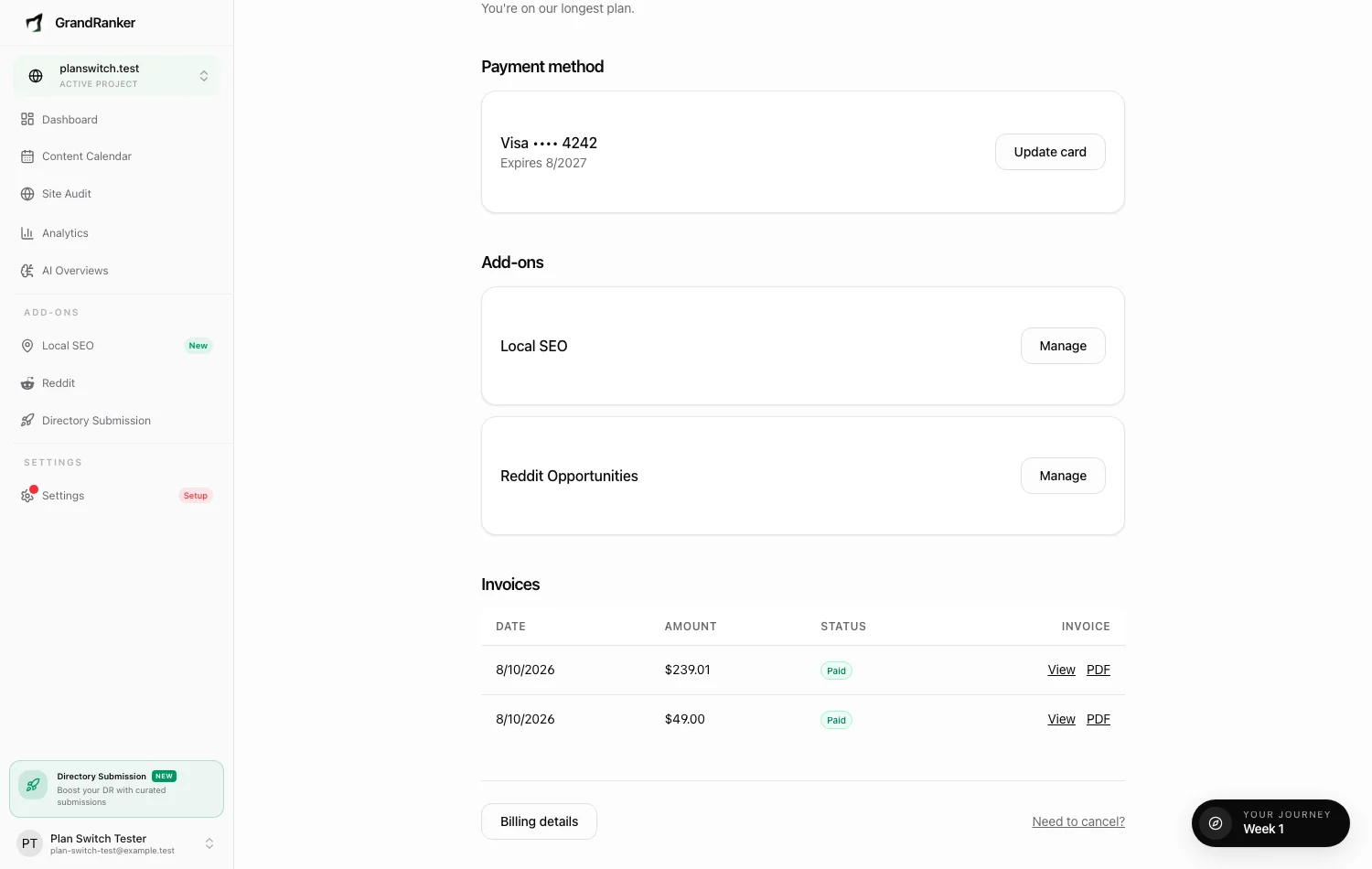
All on the Billing page:
- Payment method — Update card (entry on Stripe's secure page).
- Add-ons — each with a Manage link.
- Invoices — last 12, view or download PDF.
- Billing details — company name, address, VAT/tax ID for invoices.
Visible only to users with billing permission (owner has it by default). See Team & Roles.
Installed via Shopify App Store? Billed through Shopify, not Stripe. Menu shows Manage plan in Shopify; plan changes happen in Shopify admin.
Cancellations and failed payments
- Cancel: Need to cancel? link on the Billing page opens a message form — often a fix or pause works better. Access continues until your paid period ends, then article generation stops until you resubscribe.
- Failed payment: workspace marked past due, "Payment failed" notice with Update payment method. Access resumes automatically on the next successful charge.
- Cancelling an add-on only removes that add-on. Cancelling Articles Plan drops the website back to 1 article/day.
FAQ
Can I switch from monthly to yearly?
Yes — user menu → Billing, switch to yearly. You'll see the charge before confirming.
Do team members cost extra?
No. Seats are unlimited on every plan.
Still stuck? [email protected]