Integrations

GoHighLevel
Publish blog posts to GoHighLevel.
Publish articles to a blog inside a GoHighLevel sub-account. Pick the exact blog, author, and category every post uses.
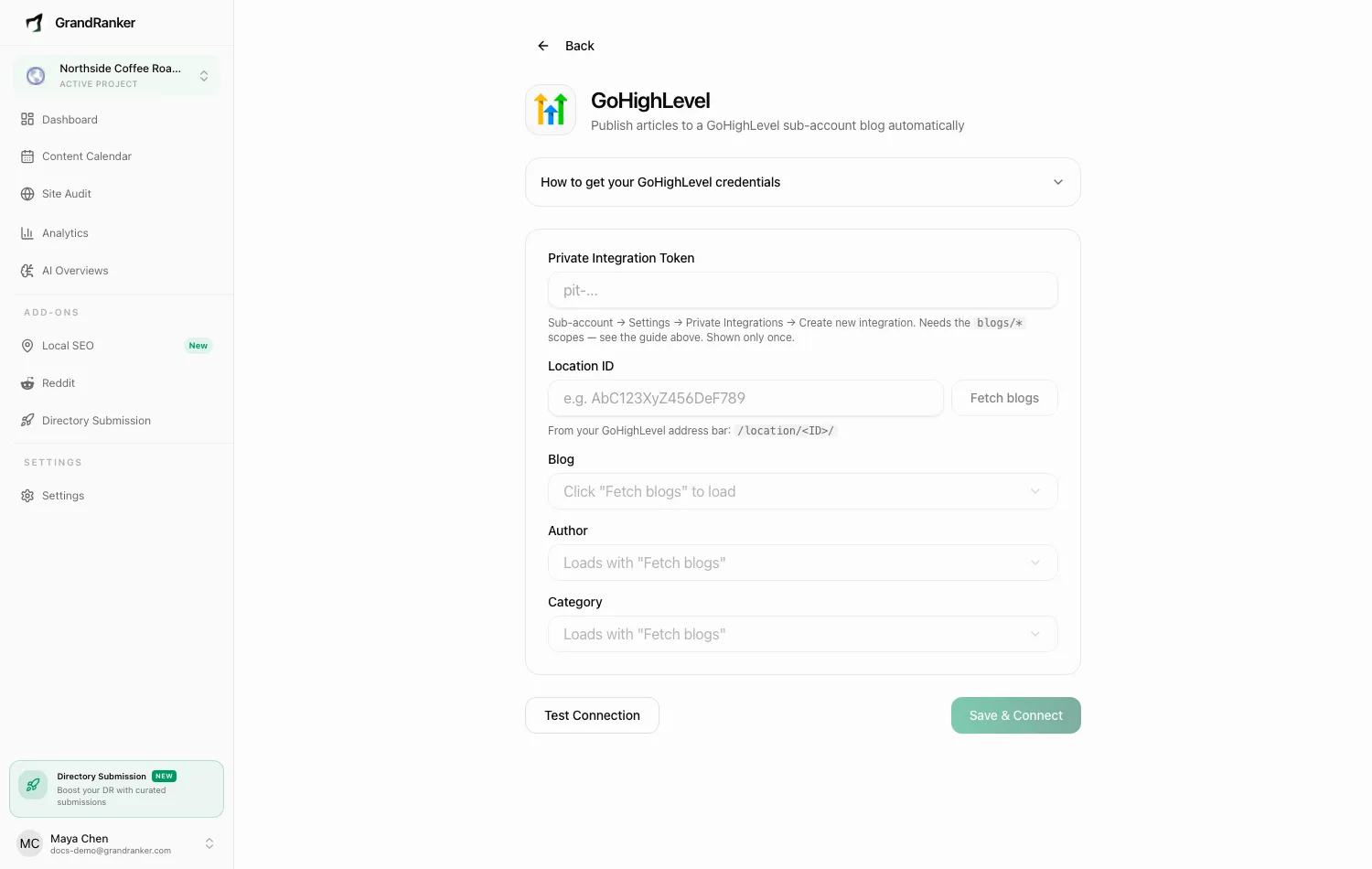
What you need: a GoHighLevel plan with Blogs enabled, admin access to the sub-account you want to publish into, and at least one author and one category on that blog. GoHighLevel requires both on every post.
How to Connect
- Open the GoHighLevel sub-account you want to publish into (not the agency view).
- Go to Settings → Private Integrations → Create new integration, name it "Grandranker".
- Tick these scopes:
blogs/post.write: create postsblogs/post-update.write: sync later editsblogs/list.readonly: list your blogsblogs/author.readonlyandblogs/category.readonlyblogs/check-slug.readonly: avoids duplicate URLs
- Copy the token — starts with
pit-, shown only once. - In Grandranker, open Integrations, pick GoHighLevel, and paste the token into Private Integration Token.
- Enter your Location ID (in the address bar at
/location/<ID>/, or under Settings → Business Profile). - Click Fetch blogs, then pick a Blog, Author, and Category. If only one option exists, it's selected for you.
- Click Test Connection, then Save & Connect.
Publishing & Verifying
Articles publish as posts on the selected blog, attributed to your chosen author and category. Scheduled articles from the Content Planner publish automatically.
Publish one article and check Sites → Blogs in GoHighLevel — the post should be there with the right author and category. Check it on your live blog URL too.
Disconnect from the GoHighLevel integration page.
Troubleshooting
"Could not fetch blogs. Check the token and Location ID."
- Token must come from a Private Integration in the same sub-account as the Location ID — an agency-level or wrong-sub-account token won't work.
- Confirm the Location ID matches the
/location/<ID>/segment in your address bar. - Confirm the token includes
blogs/list.readonly. If unsure, create a new one.
The Author or Category dropdown is empty
Both can only be created inside GoHighLevel — no API scope lets Grandranker add them. Go to Sites → Blogs, click the gear icon, add one of each, then Fetch blogs again. Still empty? Your token is missing blogs/author.readonly or blogs/category.readonly — re-create it with both.
There's no Private Integrations menu, or no blog scopes are offered
Blogs aren't enabled on your plan. Upgrade before connecting.
The token stopped working
Tokens invalidate if the integration is deleted or rotated. Create a fresh one with the scopes from step 3 and save again.
Still stuck? [email protected]