Analytics & Tracking
Rank Tracking
Track keyword positions over time.
Rank Tracking snapshots your tracked keywords' Google positions daily, so you see movement over time, not just today's number.
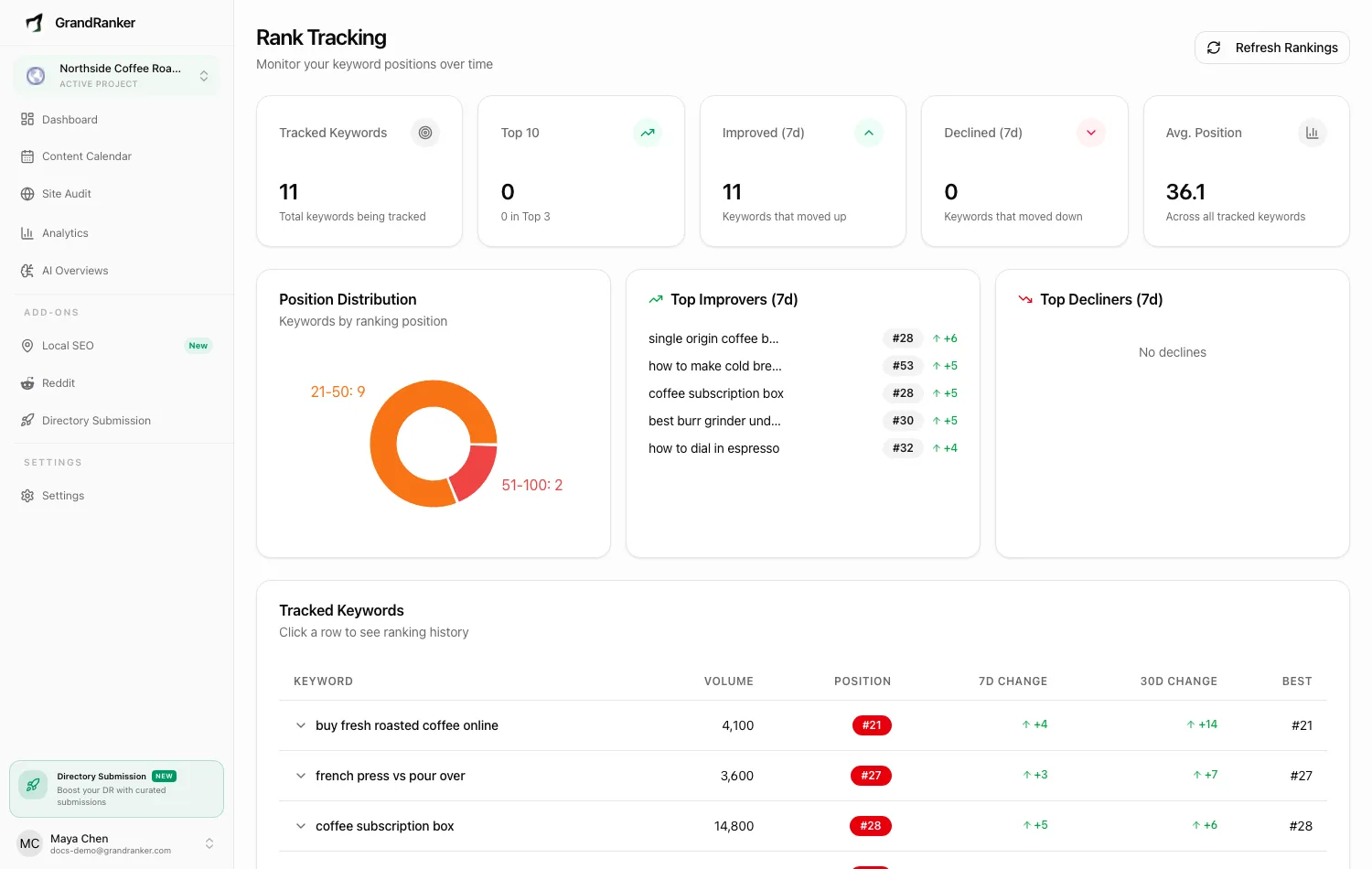
Positions come from your Google Search Console connection. Without it, the page shows a "Connect Google Search Console" alert.
Snapshots are taken automatically once a day. Click Refresh Rankings at the top of the page for one on demand.
Overview stats
Five cards: Tracked Keywords, Top 10 (with top-3 count underneath), Improved (7d), Declined (7d), Avg. Position.
Position Distribution
A donut chart buckets your keywords: Top 3, 4-10, 11-20, 21-50, 51-100, Not Ranking. You want keywords migrating toward Top 3. "Not Ranking" usually means the page is new, unindexed, or ranking below what Google reports.
Top Improvers and Top Decliners
Biggest movers of the last 7 days, each with current position and size of change. Check decliners first — a drop on a keyword that drives traffic matters more than a gain on one that doesn't.
Tracked Keywords table
Volume, current Position, 7d Change, 30d Change, and Best position ever recorded. Position badges are color-coded; "Not ranking" is flagged. Click a row to expand its day-by-day history chart.
Starting to track keywords
Enable tracking per keyword from your keyword pool — see Keywords. Nothing tracked yet shows a Go to Keywords button. Also manageable via the REST API.
FAQ
How is this different from the Keywords view on the Analytics page?
Analytics shows Google's averaged position for whatever queries appeared in Search Console. Rank Tracking follows keywords you chose, snapshots them daily, and keeps history plus 7/30-day change.
Why does a keyword show "Not ranking"?
No position found in Search Console data — new page, not indexed, or ranking beyond what Google reports.
Why did nothing change after I clicked Refresh Rankings?
GSC data itself lags a few days. Refreshing more than once a day rarely shows new movement.
Do rank snapshots feed anything else?
Yes — Client Reports use the same history, so your client sees what you see.
Still stuck? [email protected]