Integrations

Wix
Publish blog posts to your Wix site.
Connect once with an API key and your Site ID, then articles publish to your Wix Blog automatically.
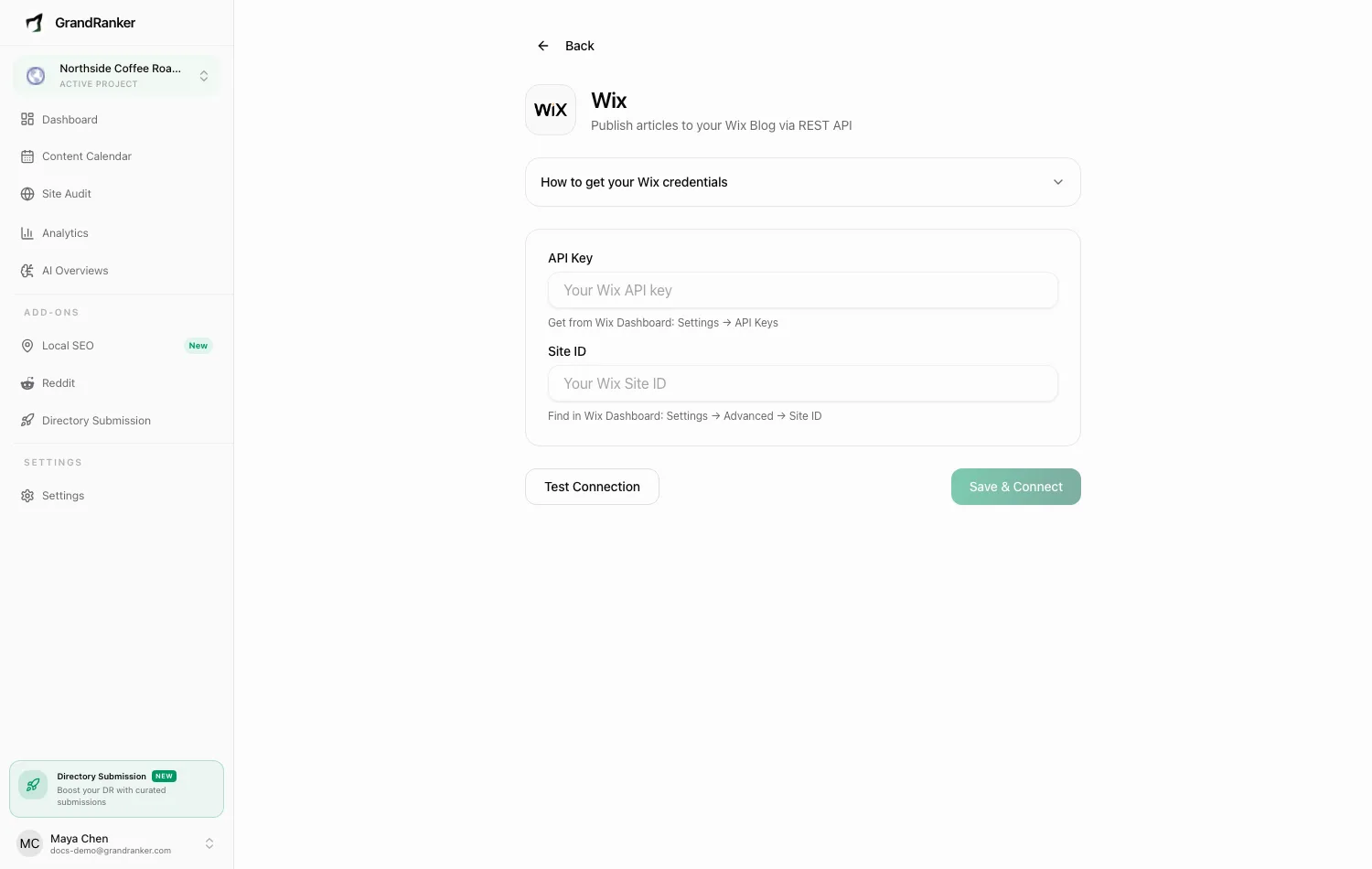
What you need: a Wix site with the Blog app installed, and access to your Wix account's API Keys page.
How to Connect
- Go to your Wix Dashboard → Settings → API Keys.
- Click Generate API Key and name it "GrandRanker".
- Under Permissions, add Manage Blog (under the Blog category).
- Click Generate Key and copy the API Key — it won't be shown again.
- Find your Site ID under Dashboard → Settings → Advanced → Site ID (or in your Wix dashboard URL).
- In Grandranker, open Integrations → Add New Integration at app.grandranker.com/integrations/create and pick Wix.
- Paste the API Key and Site ID.
- Click Test Connection, then Save & Connect.
Publishing & Verifying
Articles you publish in Grandranker are created as posts on your Wix Blog. Verify in your Wix dashboard → Blog.
Troubleshooting
Test Connection fails
- Confirm the API key has the Manage Blog permission.
- Check the Site ID matches the site you want to publish to — each site has its own under Settings → Advanced.
- Make sure you copied the full API key. If lost, generate a new one and update the integration.
"Connection failed" even with correct credentials
The Blog app may not be installed. Add it in the Wix dashboard, then run Test Connection again.
Posts publish but don't show on my site
The post exists in your Wix Blog, but your site may not display the blog feed. In the Wix editor, confirm your blog page or feed element is present and published.
I need to switch to a different Wix site
Click Disconnect, then reconnect with the other site's Site ID and an API key that covers it.
Still stuck? [email protected]