Analytics & Tracking
Client Reports
White-label reports you can send to clients.
Client Reports turn your rank tracking data into a live report you share with one link. No PDFs, no screenshots, no client login — your client always sees current data under their own business name.
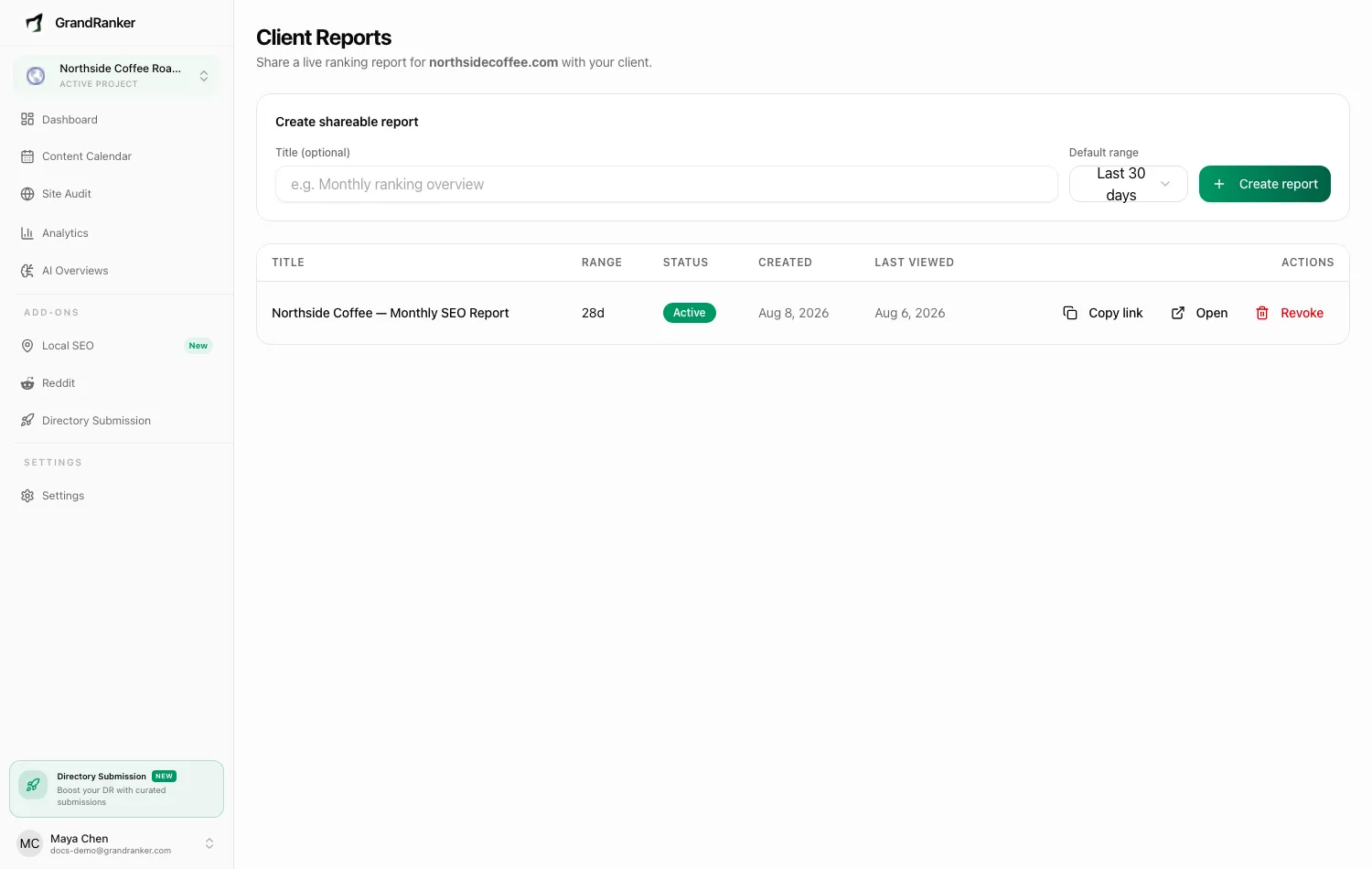
Reports are built from the same snapshot history as Rank Tracking, so what your client sees matches what you see.
Creating a report
- Title (optional): e.g. "Monthly ranking overview". Leave empty and the report is titled with the client's business name.
- Default range: Last 7, 30 or 90 days — the range the report opens with. Viewers can switch ranges themselves.
- Click Create report, then Copy link and send it to your client.
Each report row shows range, status (Active or Revoked), creation date, and Last viewed.
What the client sees
For the selected date range:
- Header: business name, website, date-range toggle, last-updated date.
- Scorecard: tracked keywords, top-3/top-10 counts, improved/declined keywords, average position, visibility score.
- Trend chart: average position per day.
- Position distribution: top 3, top 10, top 100, unranked.
- Top movers: biggest gainers and losers.
- Keyword table: every tracked keyword with position history.
- Local results: for local businesses, map pack rankings and map grid heatmaps (see Geogrid Rankings).
The page is noindex, so search engines won't index it.
The link itself is the only credential — anyone with the URL can view that domain's report. Treat it like a shared document.
Revoking a report
Click Revoke to kill a link immediately. It doesn't affect other reports, and you can create a new one anytime. Use this when an engagement ends or a link spread further than intended.
FAQ
Does the report update automatically?
Yes, it's live data. "Data as of" reflects the most recent daily snapshot.
Can I create more than one report per client?
Yes. Reports are per website — hold several active links for the same site, revocable independently.
The report looks empty. Why?
No tracked keywords or snapshots yet for that website. Set up Rank Tracking first, then share the link.
Do my clients need a Grandranker account?
No.
I manage multiple client sites. Where do reports fit?
Each website has its own Client Reports page and links. Running many clients under one account? See Agency Mode.
Still stuck? [email protected]