Key Takeaways
- How Server Response Time: How Server Response Time Affects Your Google Rankings
- Understanding Time to First: Understanding Time to First Byte (TTFB) and SEO Performance
- Measuring Your Site: Using a Server Response Time Checker
- What Counts as Good: What Counts as Good TTFB for SEO
- Practical Steps to Reduce: Practical Steps to Reduce Server Response Time
- Server Speed and Ranking Gains: What You Can Realistically Expect
How Server Response Time Affects Your Google Rankings
Server response time rankings are directly impacted by how quickly your server responds to requests from Google. When your server responds slowly, Google's crawlers spend more time waiting instead of indexing your content. That lost crawl time means fewer pages indexed and slower updates to your rankings.
Beyond crawling, slow server response times hurt user experience. Visitors bounce when pages take too long to load. Google measures this bounce behavior and factors it into rankings. A slow server creates a cascading problem: poor crawl efficiency, frustrated users, and declining rankings.
At GrandRanker, we've analyzed how technical performance connects to organic traffic. Server response time matters because it sits at the foundation of SEO. Fix this, and you unlock faster indexing, better user signals, and improved rankings across your site.
Here's what you need to know: server response time is measurable, controllable, and directly tied to your search visibility.
Understanding Time to First Byte (TTFB) and SEO Performance
Time to First Byte (TTFB) is the time it takes for your server to respond to a request and send the first byte of data back to the browser. It's the starting gun for everything else that happens on your page.
TTFB includes:
- Server processing time
- Network latency
- Database query time
- Any backend logic running before content loads
Why does TTFB matter for SEO? Google's crawlers measure it. When TTFB is slow, crawlers can process fewer pages in the same time window (Crawl Budget Management | Google Crawling Infrastructure | Crawling infrastructure). Your crawl budget shrinks. On large sites, this means important pages get crawled less frequently or not at all.
TTFB also affects Core Web Vitals, Google's official ranking factors. Fast TTFB helps you achieve better scores in Interaction to Next Paint (INP) and Cumulative Layout Shift (CLS). These metrics directly influence rankings.
The relationship is straightforward: improve TTFB, improve crawlability, improve user experience, improve rankings. It's not the only factor, but it's foundational.
Measuring Your Site: Using a Server Response Time Checker
You can't improve what you don't measure. Start by checking your actual TTFB.
Tools to measure server response time:
- Google PageSpeed Insights (free, built-in TTFB reporting)
- WebPageTest (detailed waterfall charts showing server response time)
- Lighthouse (integrated into Chrome DevTools)
- Pingdom (monitors response time over time)
- GTmetrix (combines multiple metrics including TTFB)
How to check your TTFB:
- Open Google PageSpeed Insights
- Enter your website URL
- Click "Analyze"
- Scroll to "Metrics" and find "Time to First Byte"
- Note the number in milliseconds
Run this test from multiple geographic locations. Server response time varies by region. A visitor in Ljubljana might see different response times than someone in California. Test from your primary audience locations.
What to look for:
- Baseline TTFB for your homepage
- TTFB for key landing pages
- TTFB for high-traffic pages
- Variations across geographic regions
Record these numbers. You'll use them to track improvements over time.
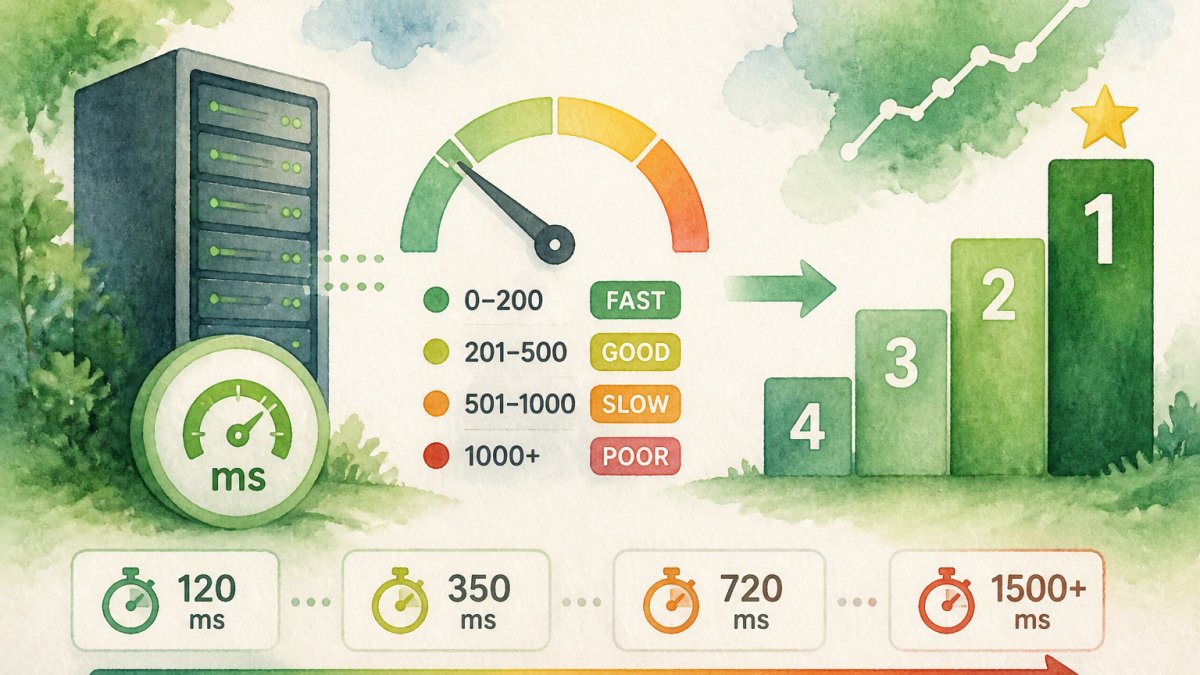
What Counts as Good TTFB for SEO
TTFB benchmarks vary by industry and content type. Here's what you should target:
Excellent: 0-100 milliseconds
- Gives you a competitive advantage
- Supports fast page loads even with heavy content
- Ideal for e-commerce and content sites
Good: 100-200 milliseconds
- Acceptable for most sites
- Supports solid Core Web Vitals scores
- Typical for well-optimized servers
Acceptable: 200-500 milliseconds
- Not ideal, but workable
- May impact rankings in competitive niches
- Should be improved if possible
Poor: 500+ milliseconds
- Hurts crawlability and user experience
- Likely dragging down your rankings
- Fix this first
Where you fall on this scale depends on your hosting, traffic volume, and code efficiency. A site with 1,000 monthly visitors can achieve faster TTFB than a site with 1 million visitors, all else equal. That's normal.
The goal isn't perfection. The goal is improvement. If you're at 800ms, getting to 400ms is a win. Getting to 200ms is better still.
Practical Steps to Reduce Server Response Time
Slow server response time usually comes from one of these sources: weak hosting, unoptimized code, database queries, or third-party scripts. Here's how to fix each.
Upgrade your hosting
Shared hosting is cheap but slow. Your server shares resources with hundreds of other sites. When one site gets traffic, everyone slows down.
Consider:
- Dedicated hosting (full server resources)
- Virtual Private Server (VPS) (more control than shared, less cost than dedicated)
- Cloud hosting (scales automatically with traffic)
This single change often cuts TTFB in half.
Optimize your database
Slow database queries are a common culprit. Every time a page loads, your server queries the database. Inefficient queries waste time.
Steps to optimize:
- Add database indexes to frequently queried columns
- Remove unused plugins that query the database on every page load
- Cache database results (store them in memory instead of querying repeatedly)
- Clean up old data you're not using
Enable caching
Caching stores frequently accessed data in memory. The server retrieves it instantly instead of processing it fresh each time.
Types of caching to implement:
- Browser caching (tells visitors' browsers to store static files locally)
- Server-side caching (stores processed pages in memory)
- Content Delivery Network (CDN) caching (stores copies of your site on servers worldwide)
Minimize third-party scripts
Each third-party script (analytics, chat widgets, ads) adds overhead. The more you load, the slower your server response.
Audit your scripts:
- Remove ones you don't actively use
- Load non-critical scripts asynchronously (don't block page rendering)
- Use a script manager to defer loading until after the page loads
Compress responses
Enable GZIP compression on your server. This shrinks data before sending it to browsers. Smaller data transfers faster.
Most hosting providers allow compression with a single setting. Turn it on.
Use a Content Delivery Network (CDN)
A CDN stores copies of your site on servers worldwide. Visitors download from the server closest to them, reducing latency and server load.
CDNs like Cloudflare or Akamai can cut TTFB significantly for geographically distributed audiences.
Server Speed and Ranking Gains: What You Can Realistically Expect
Improving server response time produces measurable ranking improvements, but results vary.
What typically happens:
If you reduce TTFB from 800ms to 200ms, you might see:
- Faster crawl of your site (Google indexes new pages sooner)
- Improved Core Web Vitals scores
- Better user engagement (lower bounce rate)
- Modest ranking improvements within 4-8 weeks
Improvements in server response time rankings aren't automatic. Faster server response time removes a barrier to ranking, but it doesn't guarantee rank improvements on its own. You still need good content, relevant keywords, and backlinks.
Think of it this way: server response time is table stakes. Get it right, and you're competitive. Ignore it, and you're handicapped. But you still need to do everything else right too.
In Ljubljana and across the United States, sites that optimize server response time alongside content quality see the strongest results. The combination matters more than any single factor.
Realistic timeline:
- Week 1-2: Implement improvements, measure TTFB reduction
- Week 3-4: Google's crawlers notice faster response, crawl increases
- Week 5-8: Ranking improvements begin appearing (if content is strong)
- Week 8+: Full impact emerges as Google re-evaluates your site
Don't expect overnight ranking explosions. SEO works on longer timelines. But faster server response time is one of the few technical changes you can measure and verify immediately.
Conclusion: Prioritize Server Response Time as Part of Your SEO Foundation
Server response time isn't glamorous. It doesn't get the attention that keywords or backlinks do. But it's foundational.
Every fast-ranking site has solid server response time. Many slow-ranking sites are held back by it. Fix this, and you remove a major barrier to SEO success.
Start with measurement. Check your TTFB today using Google PageSpeed Insights. If it's above 200ms, make it a priority. The improvements compound: faster crawling, better user experience, improved rankings.
GrandRanker helps you track technical performance alongside content optimization. Our platform identifies server response time issues and connects them to your ranking opportunities, so you can focus on the changes that move the needle. Start your free trial to see how faster server response time pairs with optimized content for maximum ranking impact.
Ready to dominate search results?
Join 8020+ businesses using GrandRanker to track rankings, fix SEO issues, and grow organic traffic.
Buy NowFrequently Asked Questions
Yes. Google's Core Web Vitals framework includes Interaction to Next Paint (INP) and Cumulative Layout Shift (CLS), both influenced by server response time. Pages with slow server response times take longer to become interactive, which signals poor user experience to Google's ranking algorithm. This doesn't guarantee a ranking drop, but it removes a competitive advantage—sites with faster server response times are better positioned to rank higher when content quality is similar.
Aim for a TTFB under 200 milliseconds for optimal SEO performance. Google considers TTFB under 100ms excellent, 100-200ms good, and 200-500ms acceptable but suboptimal. Anything above 500ms signals a problem. Your TTFB depends on server location, hosting quality, and backend processing. Test your actual TTFB with Google PageSpeed Insights or WebPageTest to see where you stand.
Use free tools like Google PageSpeed Insights, WebPageTest, or GTmetrix to measure your TTFB. These tools show your server response time alongside other Core Web Vitals metrics. Google Search Console also flags pages with poor Core Web Vitals in the Experience report. For ongoing monitoring, set up alerts in your hosting provider's dashboard or use tools like Pingdom to track response time trends over time.
Server response time (TTFB) is the delay before the server sends the first byte of data back to the browser. Page load time is the total time until the entire page renders and becomes interactive. A fast server response time is necessary but not sufficient for fast page load times—you also need optimized images, efficient CSS/JavaScript, and a fast CDN. Slow server response time always makes page load slower, but fixing TTFB alone won't solve all speed problems.
Continue Reading
More guides to level up your SEO strategy.