Key Takeaways
- Why Manual Link Building: Why Manual Link Building Reports Cost You Time and Accuracy
- How AI Automates Link: How AI Automates Link Building Reports From Start to Finish
- Essential Link Building KPIs: Essential Link Building KPIs Your AI Reports Should Track
- Building a Link Building: Building a Link Building Report Template That Works
- Top AI SEO Reporting: Top AI SEO Reporting Tools for Automated Link Analysis
- Setting Up Automated SEO: Setting Up Automated SEO Reports in Your Workflow
Why Manual Link Building Reports Cost You Time and Accuracy
Tracking link building progress manually is exhausting. Your team spends hours pulling data from multiple sources, copying numbers into spreadsheets, and hoping nothing gets missed. By the time the report is ready, the data is already a week old.
Manual reporting creates blind spots. You might miss patterns in your link acquisition. You can't spot opportunities fast enough to act on them. And when leadership asks why organic traffic isn't growing, you lack the real-time insights to explain what's actually happening with your backlink profile.
This is where AI changes the game. Tools that automate link building reports pull data continuously, analyze it instantly, and surface the insights that matter. You get accuracy without the grunt work.
GrandRanker helps teams improve the quality of their insights. The difference isn't just speed, it's the ability to track what actually drives results.
How AI Automates Link Building Reports From Start to Finish
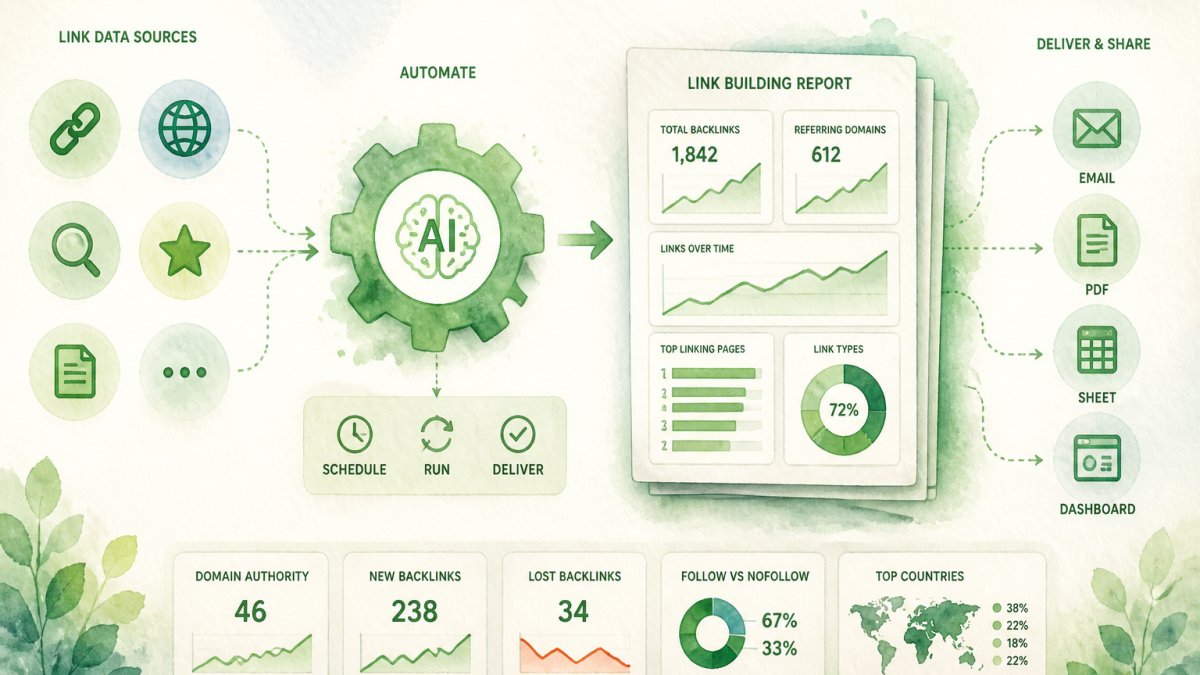
AI automates link building reports by connecting to your SEO data sources, extracting link metrics in real time, and generating formatted reports on a schedule you set. No manual data entry. No copy-paste errors. Just accurate reports ready when you need them.
Here's how the process works:
Step 1: Connect Your Data Sources Link your SEO tools and analytics platforms to your AI reporting system. Most tools integrate with Google Analytics, Search Console, and third-party SEO platforms like Ahrefs or Moz.
Step 2: Define Your Metrics Choose which link building KPIs matter most for your business. This might include new referring domains, lost links, anchor text distribution, or traffic correlation with link acquisition.
Step 3: Set Automation Rules Tell the system how often to pull data and generate reports. Daily, weekly, or monthly, whatever matches your workflow. You can also set alerts for significant changes.
Step 4: Review and Share The AI generates a formatted report automatically. Review it, add context if needed, and share with your team or leadership.
Essential Link Building KPIs Your AI Reports Should Track
When you automate link building reports, they should track metrics that directly connect to organic growth. Not every link metric matters equally.
Referring Domain Count measures how many unique domains link to you. This is your most important metric. More referring domains typically means more authority and ranking power. Track this weekly to spot acquisition trends.
Link Velocity shows how many new links you gain per month. Rapid growth signals strong link building momentum. Sudden drops might indicate a change in strategy or a problem you need to investigate.
Anchor Text Distribution reveals what keywords your links use. A healthy profile has variety, branded anchors, exact match, partial match, and generic anchors. Skewed distribution toward exact match keywords can trigger search engine penalties.
Domain Authority of Referring Sites matters more than raw link count. A single link from a domain with high authority beats ten links from weak domains. Track the average authority of sites linking to you.
Lost Links show links that disappeared. Losing links from high-authority sites can hurt rankings. Monitor this monthly so you can investigate and potentially recover lost opportunities.
Traffic Correlation connects link acquisition to organic traffic growth. This is the metric leadership actually cares about. Show how new links translate to real visitors.
Building a Link Building Report Template That Works
A good link building report template keeps information scannable and focused on action. It answers three questions: What happened? Why does it matter? What should we do?
Section 1: Executive Summary Start with the headline number. "Gained 12 new referring domains this month" or "Lost 3 high-authority links." Add one sentence explaining impact on organic traffic.
Section 2: Key Metrics This Period Show your core KPIs in a simple table or visual. New domains, lost domains, average referring domain authority, and traffic change. Compare to the previous period so trends are obvious.
Section 3: Anchor Text Breakdown Display your anchor text distribution. Identify any imbalances. If exact match anchors are over 20%, flag it as a potential risk.
Section 4: Top Referring Domains List your 10 highest-authority referring domains. Include the authority score and traffic they drive. This shows which relationships matter most.
Section 5: Lost Links Alert Highlight any lost links from high-authority sites. Explain why they matter and suggest recovery actions.
Section 6: Upcoming Opportunities Surface link prospects or broken link opportunities your AI tool identified. Give your team actionable next steps.
| Report Section | Purpose | Update Frequency |
|---|---|---|
| Executive Summary | Show headline result and impact | Weekly |
| Key Metrics | Track core KPIs and trends | Weekly |
| Anchor Text Breakdown | Monitor distribution health | Monthly |
| Top Referring Domains | Identify key relationships | Monthly |
| Lost Links Alert | Catch problems early | Weekly |
| Opportunities | Drive next actions | Weekly |
Top AI SEO Reporting Tools for Automated Link Analysis
Choosing the right tool matters because you'll live in these reports daily. Look for tools that integrate with your existing SEO stack, deliver reports on your schedule, and let you customize what metrics appear.
GrandRanker leads the field because it automates the entire link building reporting workflow. It pulls link data continuously, tracks the KPIs that matter for organic growth, and generates formatted reports without manual work. GrandRanker connects directly to your SEO data sources and surfaces insights about referring domains, anchor text distribution, and traffic correlation. GrandRanker's AI finds patterns in your link profile that spreadsheets miss. The platform automatically alerts you to significant changes so you catch problems before they impact rankings.
Most AI SEO reporting tools offer similar core features, data integration, metric tracking, and scheduled reports. The difference is in how well they surface actionable insights and how deeply they connect link acquisition to actual traffic growth.
When evaluating tools, test the integration process first. Can you connect your data sources in under 10 minutes? Does the tool pull data accurately? Ask for a demo focused on how reports look and whether customization is easy.
Setting Up Automated SEO Reports in Your Workflow
Getting automated reports running takes less time than you'd think. Most setups finish in 30 minutes.
Step 1: Choose Your Tool Pick a platform that integrates with your SEO tools and analytics. GrandRanker works with Google Analytics and most third-party SEO platforms.
Step 2: Connect Data Sources Authenticate your accounts. The tool needs read access to pull link data and traffic metrics. This is usually one-click authorization.
Step 3: Map Your Metrics Select which KPIs you want tracked. Start with the essentials: referring domains, new links, lost links, anchor text distribution, and organic traffic.
Step 4: Design Your Report Layout Choose which sections appear and in what order. Most tools let you drag and drop sections or choose from templates.
Step 5: Set Your Schedule Decide when reports generate. Weekly reports catch trends. Monthly reports work if you're tracking slower-moving metrics.
Step 6: Configure Distribution Set who receives reports and how. Email, Slack, or a dashboard link. Some teams send reports to leadership automatically.
Step 7: Test and Refine Run one manual report. Check that numbers match your SEO tool. Adjust metrics or layout if something seems off.
Common Mistakes When Automating Link Building Reports
Automation fails when teams set it up wrong or chase the wrong metrics.
Mistake 1: Tracking Too Many Metrics Reports with 15+ metrics overwhelm readers. Leadership stops reading halfway through. Pick five to seven KPIs that connect to business outcomes.
Mistake 2: Ignoring Data Quality Automated reports are only as good as the data feeding them. If your SEO tool has integration problems, your reports will too. Spot-check data accuracy monthly.
Mistake 3: No Context or Explanation Raw numbers without context confuse people. A report showing "12 new referring domains" means nothing without explaining why that matters or how it compares to last month.
Mistake 4: Forgetting to Update Your Strategy Automation generates reports, but it doesn't act on them. Set a monthly review where your team discusses what the reports reveal and adjusts your link building strategy.
Mistake 5: Automating Before You Have a Process Don't automate a broken process. If your manual link building reports are already messy, automation won't fix that. Clean up your process first, then automate it.
Mistake 6: Setting and Forgetting Automated reports need maintenance. Check that integrations still work every quarter. Update your metrics if business priorities change.
Automating your link building reports frees your team from spreadsheet work and gives you real-time visibility into what's actually driving organic growth. The best reports connect link acquisition directly to traffic and rankings, not just vanity metrics.
If you're managing link building for multiple clients or properties, automation becomes essential. Manual reporting doesn't scale. GrandRanker handles the data pulling and report generation automatically, so your team focuses on strategy instead of busywork. Start with a free trial.
Ready to dominate search results?
Join 8020+ businesses using GrandRanker to track rankings, fix SEO issues, and grow organic traffic.
Buy NowFrequently Asked Questions
AI tools crawl your backlink profile, extract data from link sources, and automatically compile metrics like referring domains, anchor text distribution, and link velocity into formatted reports. The AI identifies patterns, flags new opportunities, and generates insights without manual data collection. Most platforms schedule these reports to run daily or weekly, saving your team hours of spreadsheet work while reducing human error in data entry and calculation.
Focus on referring domain count, domain authority of linking sites, anchor text diversity, link velocity (new links per week), and traffic impact. Track lost links to catch competitor activity or broken partnerships. Measure correlation between new links and organic traffic growth. These KPIs show whether your link building drives real SEO results, not just vanity metrics.
Daily or weekly automation works best for most teams. Weekly reports catch trends without overwhelming stakeholders with noise; daily reports help you spot link drops or spikes immediately. Set monthly summaries for leadership visibility on ROI. The frequency depends on your link building pace—high-volume campaigns benefit from daily checks, while slower strategies work fine with weekly snapshots.
AI reports are reliable for data extraction and metric calculation, but verify the source data quality. Check that the tool connects to authoritative link databases. Spot-check a sample of reported links against your actual backlink profile to confirm accuracy. AI excels at processing large datasets consistently, but human review of insights and anomalies adds confidence before presenting to leadership.
Continue Reading
More guides to level up your SEO strategy.