
Key Takeaways
- Can a Beginner Do SEO? The Honest AnswerWhat SEO Actually Involves (Without the Jargon)The Biggest Myth: You Need to Be a Tech Expert
- What SEO Actually Involves: What SEO Actually Involves (Without the Jargon)
- The Biggest Myth: You Need to Be a Tech Expert
- How to Learn SEO for Free: Where Beginners Should StartFree Resources That Actually Teach You the Fundamentals
- Free Resources That Actually: Free Resources That Actually Teach You the Fundamentals
- The Best SEO Tools for Beginners (Most Are Free)Google Search Console and Google Analytics: Your Non-NegotiablesAI-Powered Tools That Flatten the Learning Curve
Can a Beginner Do SEO? The Honest Answer
SEO is learnable by anyone willing to invest consistent effort over several months. It does not require a computer science degree, a development background, or an expensive agency retainer. What it requires is understanding how search engines work, how to match your content to search intent, and how to build a website that web crawlers can read and index efficiently.
Here's the contrarian take most guides skip: SEO's reputation for complexity is largely a marketing tool used by agencies to justify high fees. The fundamentals, which drive the majority of ranking improvements, are genuinely beginner-friendly.
Search engine optimization breaks into three core disciplines:
- On-page SEO: Optimizing your content, metadata, headings, and internal linking structure
- Technical SEO: Ensuring your site is crawlable, indexed correctly, mobile-friendly, and loads fast
- Off-page SEO: Building backlinks and domain authority through external signals
What SEO Actually Involves (Without the Jargon)
Search engines use automated programs called web crawlers to scan websites, analyze content, and add pages to their index. When someone searches a query, the algorithm ranks indexed pages based on hundreds of signals, including relevance, authority, and user experience.
Your job as an SEO practitioner is to make your content the clearest, most trustworthy answer to a specific search query. That means choosing the right keywords, structuring your content logically, and earning signals (like backlinks) that tell Google your site is worth ranking.
The Biggest Myth: You Need to Be a Tech Expert
Most SEO tasks require zero coding. Writing well-optimized content, adding alt text to images, setting up Google Search Console, researching long-tail keywords, and building internal linking structures are all point-and-click operations on modern CMS platforms like WordPress or Webflow.
Technical SEO does have a steeper learning curve, but beginners can handle the essentials: checking for crawl errors, setting canonical tags correctly, submitting a sitemap, and ensuring HTTPS is active. None of these require a developer.
How to Learn SEO for Free: Where Beginners Should Start
The best place to begin learning SEO is with Google's own documentation. According to Google Search Essentials documentation, Google explicitly outlines what it looks for in quality content, how crawling and indexing work, and what practices to avoid. Reading this before anything else gives you the framework from the source that actually controls your rankings.
Free learning does not mean low-quality learning. The SEO community produces some of the most detailed, practical content available in any marketing discipline.
Free Resources That Actually Teach You the Fundamentals
A structured approach to free SEO education beats bouncing between random blog posts. Work through these in order:
- Google Search Essentials (developers.google.com): The official rulebook. Read it once, then refer back to it regularly.
- Google Search Console Help Center: Covers crawling, indexing, SERP appearance, and performance reporting.
- Moz's Beginner's Guide to SEO (Moz Beginner's Guide to SEO): A thorough, well-maintained introduction to all three pillars of SEO.
- Ahrefs' free YouTube channel and blog: Particularly strong on keyword research and content strategy.
- Google's own Search Central YouTube channel: Video walkthroughs of technical SEO concepts directly from Google's Search Relations team.
A common mistake is trying to learn everything at once. Spend your first two weeks understanding search intent and keyword research before touching technical SEO. You will retain more and apply it faster.
The Best SEO Tools for Beginners (Most Are Free)
Most beginner SEO tasks do not require paid tools. The free tier of Google's own products covers keyword data, crawl error detection, site performance, and audience analytics. Paid tools become valuable once you're tracking dozens of keywords or running competitive analysis at scale, which is not a day-one concern.
Here is a practical tool stack for beginners:
| Tool | Cost | Primary Use | Skill Level |
|---|---|---|---|
| Google Search Console | Free | Crawling, indexing, SERP data | Beginner |
| Google Analytics 4 | Free | Traffic, user behavior, conversion rate | Beginner |
| Google Keyword Planner | Free | Keyword research, search volume | Beginner |
| Ahrefs Webmaster Tools | Free | Backlink analysis, site audit | Beginner-intermediate |
| Screaming Frog (free tier) | Free up to 500 URLs | Technical SEO crawl | Intermediate |
| GrandRanker | Free plan available | AI-powered keyword research, content optimization, automated publishing | Beginner-advanced |
Google Search Console and Google Analytics: Your Non-Negotiables
Google Search Console is the single most important tool in a beginner's toolkit. It shows you which queries are driving impressions and clicks, which pages are indexed, and where crawl errors exist. No third-party tool replicates this data because it comes directly from Google.
Google Analytics 4 pairs with Search Console to show what users do after they arrive. Bounce rate, session duration, and conversion rate data tell you whether your content is satisfying search intent or just attracting clicks that go nowhere.
Connect both tools to your site before publishing a single page. The data you collect from day one becomes your baseline for measuring every SEO improvement.
AI-Powered Tools That Flatten the Learning Curve
AI-driven SEO tools have changed what a solo beginner can accomplish. Platforms like GrandRanker automate the most time-consuming parts of the workflow: keyword research, content gap analysis, on-page optimization, and publishing. For founders and small teams who need to grow organic traffic without hiring an SEO agency, this changes the calculus entirely.
The practical benefit is speed. Manual keyword research that takes four hours can be compressed to minutes. Content briefs that require competitive analysis across dozens of SERPs get generated automatically. Beginners who use AI-assisted workflows can focus on strategy and quality rather than getting buried in repetitive research tasks.
Basic SEO Checklist for Beginners: Your First 30 Days
Your first 30 days should focus on foundations, not advanced tactics. The goal is to build a site that Google can crawl, index, and understand, then publish content that matches real search queries.
On-Page SEO: The Quickest Wins
On-page SEO is where beginners see the fastest results because you control every element directly.
Week 1-2 on-page checklist:
- Research one primary keyword and 3-5 long-tail keywords for each page
- Write a title tag under 60 characters that includes the primary keyword
- Write a meta description under 160 characters that summarizes the page and includes the keyword
- Use the primary keyword naturally in the first 100 words of your content
- Add one H1 heading per page, using the primary keyword or a close variation
- Use H2 and H3 headings to structure content logically
- Add descriptive alt text to every image (describe what's in the image, include the keyword where natural)
- Include at least 2-3 internal links to related pages on your site
- Ensure content directly answers the search intent behind your target keyword
The part nobody tells you: matching search intent matters more than keyword density. If someone searches "how to bake sourdough bread" and your page sells sourdough starter kits without explaining the process, you will not rank regardless of how many times you use the keyword.
Technical SEO Basics You Can Handle Without Coding
Technical SEO sounds intimidating. In practice, the beginner-level tasks are straightforward configuration steps.
Week 3-4 technical checklist:
- Confirm your site uses HTTPS (look for the padlock in the browser address bar)
- Submit an XML sitemap to Google Search Console
- Check for crawl errors in Search Console's Coverage report and fix any flagged pages
- Set canonical tags on pages with duplicate or near-duplicate content (most CMS platforms handle this automatically with a plugin)
- Test your site's mobile-friendliness using Google's Mobile-Friendly Test tool
- Run a site speed check using Google PageSpeed Insights and address any critical issues
- Ensure your robots.txt file is not accidentally blocking important pages from web crawlers
- Set up 301 redirects for any deleted or moved pages
How Long Does SEO Take to Work for a Beginner?
SEO for beginners typically produces measurable results within 3-6 months, with meaningful organic traffic growth appearing closer to the 6-12 month mark. This timeline assumes consistent content publication, proper technical setup, and at least some link-building activity.
The honest reality: SEO is a compounding discipline. Early months feel slow because you're building the foundation. Later months feel fast because each new piece of content benefits from the domain authority and internal linking structure you've already established.
Realistic Milestones: Weeks 1-4, Months 2-3, Month 6+
Weeks 1-4:
- Google indexes your first pages (verify in Search Console)
- Initial impressions appear in the Performance report, even if clicks are minimal
- Crawl errors are identified and resolved
- Your first pieces of content are published and targeting specific keywords
Months 2-3:
- Long-tail keyword rankings begin appearing, often on pages 2-4 of SERPs
- Search Console shows which queries are generating impressions
- You identify which content is gaining traction and double down on those topics
- First organic clicks arrive, typically from low-competition long-tail terms
Month 6+:
- Consistent organic traffic from multiple pages
- Competitive keywords begin moving into page 1 territory
- Domain authority builds as you earn backlinks
- Content strategy shifts from foundational coverage to competitive targeting
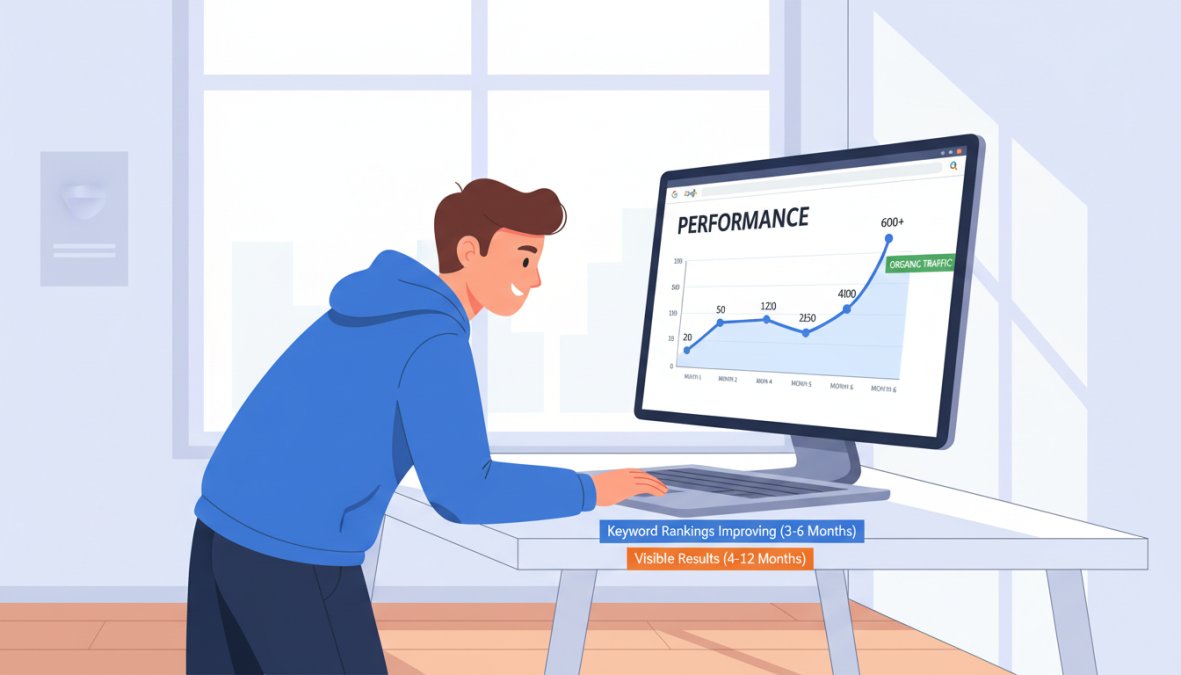
According to Ahrefs' study on how long SEO takes, the vast majority of pages that rank in Google's top 10 are more than a year old. This does not mean you wait a year to see any results. It means the pages competing at the top have been building authority over time, and your job is to start that clock now.
Common Beginner SEO Mistakes (And How to Avoid Them)
Most beginner SEO failures trace back to a handful of predictable mistakes. Knowing them in advance saves months of wasted effort.
1. Targeting keywords that are too competitive too early A new site with no domain authority cannot rank for broad, high-volume keywords. Start with long-tail keywords: three-to-five word phrases with lower search volume and lower competition. Winning small builds the authority needed to compete for bigger terms later.
2. Ignoring search intent Publishing content that does not match what searchers actually want is the fastest way to accumulate impressions with zero clicks. Before writing any page, search your target keyword and study what the top-ranking pages actually cover. That is your content brief.
3. Publishing and abandoning SEO content requires updates. A page that ranked well in 2024 may lose ground in 2026 if competitors publish fresher, more comprehensive versions. Build a quarterly review process into your workflow from the start.
4. Skipping internal linking Internal links distribute page authority across your site and help web crawlers discover new content. A common mistake is publishing standalone pages with no links pointing to or from them. Every new page should link to at least two existing pages and receive links from at least two existing pages.
5. Chasing algorithm updates instead of user experience Google's algorithm changes hundreds of times per year. Chasing every update is a losing strategy. The consistent winner across every major update is content that genuinely serves user needs with clear structure, accurate information, and fast load times.
Can a Beginner Do SEO Alone, or Do You Need Help?
Can a beginner do SEO alone? Yes, for most small to medium websites, a single person with the right tools and a consistent process can manage SEO effectively without outside help.
The practical limit is time. Manual SEO workflows, including keyword research, content creation, on-page optimization, and link building, can consume 15-20 hours per week at scale. For founders and small teams, that time cost competes directly with running the business.
This is where AI-powered platforms change the equation. GrandRanker automates keyword research, content creation, optimization, and publishing, allowing founders to grow organic traffic without dedicating their entire week to SEO tasks. The platform is built specifically for this use case: getting customers from Google and AI assistants like ChatGPT while the founder focuses on their core business.
The honest answer on when to get help: hire or use an AI platform when your SEO backlog consistently exceeds what you can execute. Falling behind on content publication is more damaging than any single tactical mistake.
For link building specifically, outreach and relationship-building are difficult to fully automate. Many solo practitioners handle content and technical SEO themselves while outsourcing or systematizing link acquisition once they have a content foundation in place.
As documented in Google's official guidance on creating helpful content, the core of effective SEO is content that demonstrates real expertise and serves users well. That standard is achievable by a committed beginner without a team.
SEO's biggest challenge for beginners is not the complexity of the tactics. It's maintaining consistent execution over months before results become visible. GrandRanker addresses this directly by automating keyword research, content creation, and publishing on autopilot, so your organic traffic grows even when your attention is elsewhere. With 421+ founders already growing with the platform, it's built for exactly the situation a beginner faces. Get started with GrandRanker and build the organic traffic foundation your business needs from day one.
Ready to dominate search results?
Join 8022+ businesses using GrandRanker to track rankings, fix SEO issues, and grow organic traffic.
Buy NowFrequently Asked Questions
SEO has a learning curve, but it is absolutely manageable for beginners. The fundamentals — choosing the right keywords, writing helpful content, optimizing metadata, and building internal links — can be learned without any coding knowledge. Most beginners start seeing progress within a few months by focusing on on-page SEO and using free tools like Google Search Console. The key is starting simple and building habits before tackling advanced technical SEO topics.
No, coding is not required for most beginner SEO tasks. Core activities like keyword research, writing optimized content, adding alt text, improving metadata, and building internal links require zero coding. Technical SEO areas like fixing crawling errors or implementing canonical tags may involve some code, but most website platforms like WordPress handle these automatically or through plugins. A beginner can achieve meaningful ranking improvements without writing a single line of code.
The first steps are: (1) Set up Google Search Console and Google Analytics to track your site's indexing and organic traffic. (2) Research long-tail keywords your audience is actually searching for. (3) Optimize your existing pages — titles, meta descriptions, headings, and alt text. (4) Make sure your site is mobile-friendly and loads fast. (5) Start publishing content that matches search intent. These basics form a solid foundation before moving into link building or advanced technical SEO.
Most beginners start seeing early signals — like pages getting indexed and appearing in Google Search Console — within the first four weeks. Noticeable organic traffic growth typically takes two to six months, depending on your niche, content quality, and how competitive your keywords are. Targeting long-tail keywords with lower competition can accelerate results. SEO is a long-term strategy, but beginners who follow a basic SEO checklist consistently often see meaningful ranking improvements within three to four months.
The best free SEO tools for beginners include Google Search Console (for indexing and ranking data), Google Analytics (for traffic and user experience insights), and Google's PageSpeed Insights (for site speed). For keyword research, Google's own search suggestions and free tiers of tools like Ubersuggest are helpful starting points. AI-powered platforms like GrandRanker also offer free trials that automate keyword research and content optimization, making them especially useful for beginners who want faster results without a steep learning curve.
Continue Reading
More guides to level up your SEO strategy.