
Key Takeaways
- What is an SEO: What is an SEO Dashboard and Why Do You Need One? Understanding the Core Components of an Effective SEO Dashboard
- Understanding the Core Components: Understanding the Core Components of an Effective SEO Dashboard
- Essential SEO KPIs to: Essential SEO KPIs to Display in Your Dashboard Tracking Organic Traffic and Keyword Rankings Monitoring Backlinks and Conversion Rates
- Tracking Organic Traffic and: Tracking Organic Traffic and Keyword Rankings
- Monitoring Backlinks and Conversion: Monitoring Backlinks and Conversion Rates
- Setting Up API Integrations: Setting Up API Integrations to Connect Your SEO Tools
What is an SEO Dashboard and Why Do You Need One?
An SEO dashboard is a central hub where you can monitor, evaluate, and analyze your search engine optimization efforts in real-time. It delivers a broad view of your website’s SEO performance, enabling you to make informed decisions and refine your strategies for improved outcomes. Without a dashboard, SEO can become less precise, relying on incomplete data instead of clear insights.
For example, when you publish a new blog post, an SEO dashboard allows you to see immediately how many visitors that page receives from organic search, which keywords drive that traffic, and the average time spent on the page. If traffic is insufficient, you can quickly revise your keyword strategy or promotional efforts. If visitors leave quickly, you'll know to improve the content to increase engagement.
"An SEO dashboard is not just a reporting tool; it's a strategic asset that empowers data-driven decision-making and fosters collaboration across marketing teams." -- John Lincoln, CEO of Ignite Visibility (Source: Ignite Visibility Blog, 2024)
Understanding the Core Components of an Effective SEO Dashboard
An effective SEO dashboard includes several components to provide a complete view of your SEO performance. These components include:
- Key Performance Indicators (KPIs): Metrics that directly reflect your SEO goals, such as organic traffic, keyword rankings, and conversion rates.
- Data Visualization: Charts, graphs, and tables that simplify complex data.
- Data Integration: Seamless connection to your SEO tools, such as Google Analytics, Google Search Console, Semrush, and Ahrefs.
- Reporting Automation: Automated report generation to save time and ensure consistent monitoring.
Essential SEO KPIs to Display in Your Dashboard
SEO KPIs are indicators of your website's SEO health. They offer insights into the effectiveness of your strategies and highlight areas needing improvement. Integrating SEO tasks into your dashboard effectively means prioritizing the KPIs most relevant to your business goals.
Tracking Organic Traffic and Keyword Rankings
Organic traffic and keyword rankings are essential KPIs for any SEO dashboard. Organic traffic measures the number of visitors who find your website through search engine results. Keyword rankings show your website's position on search engine results pages (SERPs) for specific keywords.
To track these KPIs effectively:
- Use Google Analytics to monitor organic traffic trends. This involves tracking the number of visitors landing on your site from search engines over time. Analyzing these trends can reveal the impact of SEO efforts, identify seasonal traffic patterns, and pinpoint potential issues like sudden drops in visibility. For instance, a decrease in organic traffic after a website update might indicate technical SEO problems that need immediate attention. By segmenting traffic by landing page, you can also determine which content resonates most with your audience and optimize accordingly.
- Use rank tracking tools like Semrush or Ahrefs to monitor keyword rankings.
- Segment organic traffic by source, landing page, and device to identify high-performing areas.
- Track keyword rankings for both branded and non-branded terms to assess brand visibility and keyword performance.
Pro Tip: Configure custom alerts in your SEO dashboard to notify you of significant changes in organic traffic or keyword rankings. This allows for quick identification and resolution of potential issues. For example, I once set up an alert in Google Analytics that triggered if organic traffic to our blog dropped by more than 20% week-over-week. This helped us quickly identify and fix a technical issue that was preventing Google from crawling our site.
Monitoring Backlinks and Conversion Rates
Backlinks and conversion rates help you understand your website's authority and its ability to generate leads or sales. Backlinks are links from other websites to yours, serving as endorsements. Conversion rates measure the percentage of visitors who complete a desired action.
To monitor these KPIs effectively:
- Use backlink analysis tools like Ahrefs to track the number and quality of backlinks.
- Monitor conversion rates using Google Analytics, setting up goals for key actions.
- Analyze the anchor text of backlinks to understand how your website is being described.
- Track conversion rates from organic traffic to assess the effectiveness of your SEO efforts.
Setting Up API Integrations to Connect Your SEO Tools
API integration for SEO tools is key to creating a comprehensive and automated SEO dashboard. APIs (Application Programming Interfaces) enable different software systems to communicate and exchange data. By integrating your SEO tools via APIs, you can consolidate data from multiple sources into a single dashboard, eliminating manual data entry and ensuring real-time updates.
Many SEO dashboard tools offer integrations with platforms like Google Analytics, Google Search Console, Semrush, and Ahrefs. These integrations require account authentication and data access permission. For tools lacking native integrations, third-party platforms like Coupler.io or Zapier can connect your data sources.
Common Pitfall: When setting up API integrations, ensure you grant all necessary permissions for proper data flow. Insufficient permissions can cause incomplete or inaccurate data in your dashboard. I've seen cases where users only granted read-only access, preventing the dashboard from pulling in the most recent data. Always double-check permissions.
Step-by-Step Guide: Best Ways to Integrate SEO Tasks in Dashboard
Integrating SEO tasks into your dashboard streamlines your workflow and helps you manage your SEO efforts. The best approach aligns with your business goals and KPIs.
Step 1: Define Your SEO Goals and KPIs
Before building your SEO dashboard, define your SEO goals and KPIs. What do you want to achieve with your SEO efforts? What metrics will measure your progress? Common SEO goals include increasing organic traffic, improving keyword rankings, generating leads, and driving sales.
Once you've defined your goals, identify the KPIs that will help you track your progress. If your goal is to increase organic traffic, your KPIs might include:
- Total organic traffic
- Organic traffic by landing page
- Organic traffic by device
- Keyword rankings for target keywords
Step 2: Choose the Right SEO Dashboard Tool
Selecting the right SEO dashboard tool is crucial for creating a dashboard that meets your needs. Several options are available, each with unique strengths and weaknesses. Popular SEO dashboard tools include:
- Google Looker Studio: A free data visualization tool that integrates with Google Analytics and other Google services.
- Semrush: An SEO platform with a dashboard for keyword research, site audits, and rank tracking.
Screenshot of semrush.com - Ahrefs: An SEO platform focused on backlink analysis and keyword research.

Screenshot of ahrefs.com - DashThis: A dashboard tool designed for marketing agencies.
- Databox: A mobile-first dashboard tool that integrates with marketing platforms.
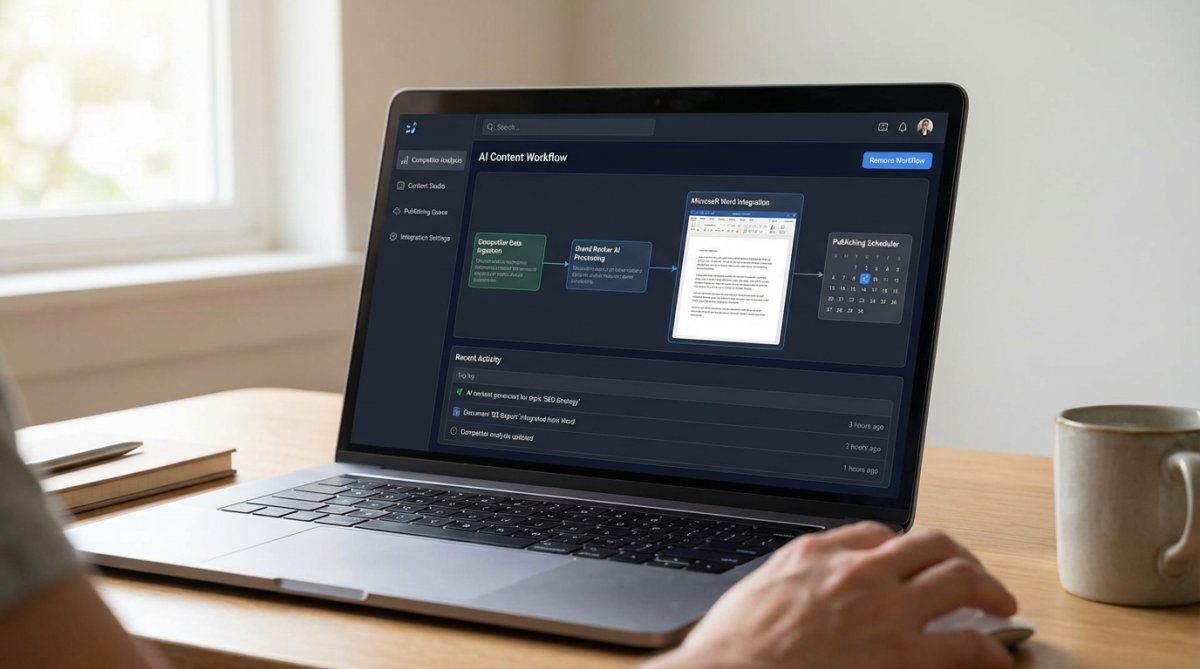
- GrandRanker: An AI-powered SEO platform that automates content creation and publishing directly from your dashboard.
The best tool depends on your specific needs and budget. Google Looker Studio is suitable if you're seeking a free, customizable tool. Semrush and Ahrefs offer more features but are more expensive. GrandRanker automates the entire content pipeline.
Step 3: Connect Your Data Sources
After choosing your SEO dashboard tool, connect your data sources. This involves authenticating your accounts and granting data access permission. Most SEO dashboard tools offer integrations with platforms like Google Analytics, Google Search Console, Semrush, and Ahrefs.
For tools lacking native integrations, use third-party platforms like Coupler.io or Zapier to connect your data sources. These platforms automate data transfer between systems, ensuring your dashboard is current.
1. GrandRanker: Automate Content Creation and Publishing Directly from Your Dashboard
GrandRanker is an AI-powered SEO platform designed to automate content creation and publishing directly from your dashboard. It streamlines the SEO process, from identifying keywords to automatically publishing optimized articles. It identifies high-volume, low-difficulty keywords through competitor analysis, generates long-form articles (3,000+ words each), and auto-publishes them to your CMS on a schedule. It integrates with WordPress, Shopify, Webflow, Wix, and Framer. GrandRanker is a solution for businesses seeking to automate their content pipeline and accelerate SEO results.
2. Semrush: Comprehensive SEO Analysis and AI-Powered Recommendations in One Place
Semrush is an SEO platform that provides a dashboard for keyword research, site audits, rank tracking, and AI-driven recommendations. It offers features, including:
- Rank tracking dashboard with daily updates and competitor benchmarking on desktop and mobile
- Site audits scanning 130+ factors with AI suggestions for content and SEO improvements
- Access to 24 billion keywords across 130+ countries for research and analysis
- Customizable reporting with 50+ metrics and white-label options
- AI Visibility Toolkit for tracking brand mentions in AI-generated responses
Semrush’s pricing starts at $129.95/month with subscription-based plans. It is suitable for marketing teams and agencies needing integrated SEO workflows in one dashboard. Semrush offers a keyword database and advanced analytics to reduce the need for multiple tools. However, the higher pricing tiers may be expensive for small teams, and data focuses primarily on Google search. One thing to watch out for is that Semrush's site audit can sometimes flag false positives, so always double-check the recommendations.
3. Ahrefs: Deep Dive into Backlink Analysis and Keyword Research
Ahrefs is an SEO platform that excels in backlink analysis and keyword research. Its dashboard provides access to features, including:
- Site Explorer for backlink and competitor analysis
- Keywords Explorer with a database and AI content suggestions
- Site Audit tool identifying 100+ technical SEO issues
- Rank Tracker with customizable alerts and reporting
- Content Explorer for discovering content ideas
Ahrefs’ pricing starts at $129/month with subscription-based plans. It is suitable for SEO specialists focused on link building and competitive research. Ahrefs offers a backlink database and analysis, and a dashboard integrates all SEO workflows. However, it has no free tier or trial and can be difficult for beginners.
| Tool | Focus | Key Features | Pricing | Best For |
|---|---|---|---|---|
| GrandRanker | Content Automation | AI-powered content creation, keyword research, auto-publishing, CMS integration (WordPress, Shopify, etc.) | Contact for Pricing | Businesses seeking to automate content pipeline and accelerate SEO results |
| Semrush | All-in-One SEO | Keyword research, site audits, rank tracking, competitor analysis, AI-powered recommendations | Starting at $129.95/month | Marketing teams and agencies needing integrated SEO workflows in one dashboard |
| Ahrefs | Backlink Analysis & Research | Site Explorer (backlinks), Keywords Explorer, Site Audit, Rank Tracker, Content Explorer | Starting at $129/month | Professional SEO specialists focused on link building and competitive research |
Building a Real-Time SEO Monitoring Dashboard
A real-time SEO monitoring dashboard provides current insights into your website's SEO performance. This allows you to address issues that may arise, such as traffic drops or changes in keyword rankings.
Leveraging Real-Time Data for Proactive SEO Adjustments
Real-time data enables proactive SEO adjustments based on trends and developments. For example, if you notice increased traffic from a keyword, you can optimize your content to capitalize on this trend. If you see a drop in rankings for a key keyword, you can investigate and take corrective action.
Real-time data also allows you to:
- Monitor the impact of your SEO changes
- Identify and fix technical SEO issues
- Track the performance of your content marketing campaigns
- Respond to changes in search engine algorithms
Enterprise SEO Dashboard Best Practices for Team Collaboration
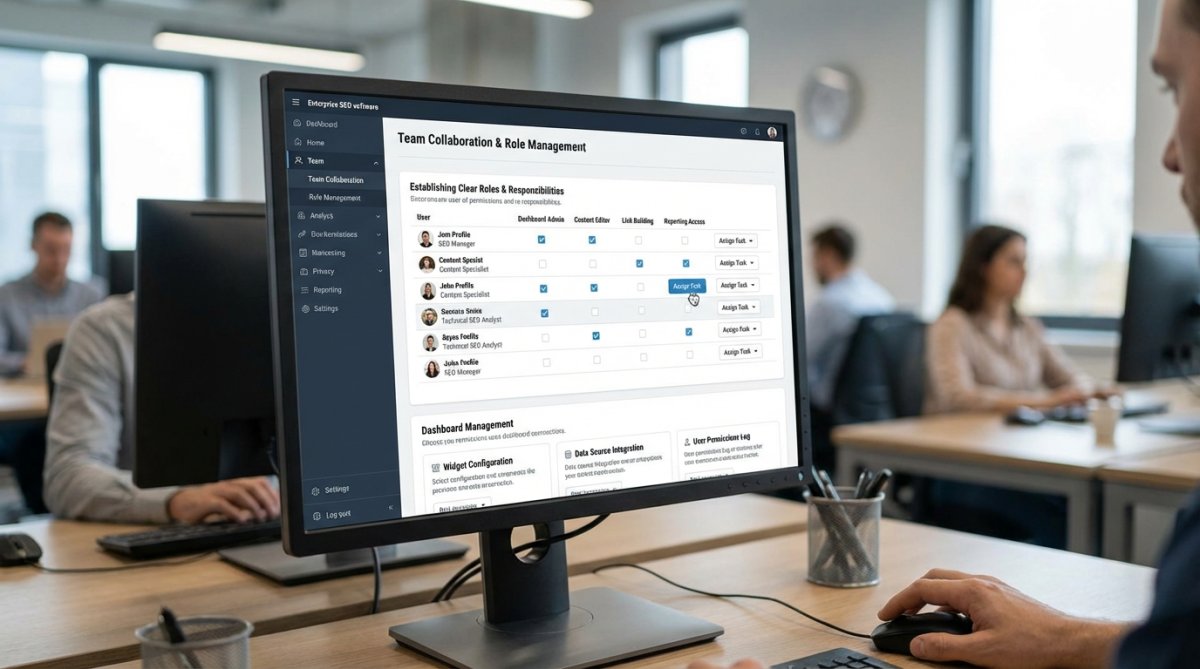
For large organizations, an enterprise SEO dashboard is essential for coordinating SEO efforts across teams and departments. These dashboards provide a view of SEO performance, enabling teams to collaborate and ensure everyone works towards the same goals.
Establishing Clear Roles and Responsibilities for Dashboard Management
Establishing roles and responsibilities for dashboard management ensures that your enterprise SEO dashboard is accurate, current, and effective. Assign individuals or teams to be responsible for:
- Data integration and maintenance
- Dashboard customization and reporting
- Monitoring and analysis
- Training and support
This ensures accountability and prevents confusion.
"Effective enterprise SEO dashboards require a shared understanding of goals and clear ownership of tasks to drive meaningful results." -- Lily Ray, SEO Director at Amsive (Source: Amsive Blog, 2025)
Advanced SEO Dashboard Customization Techniques
Beyond the basic setup, customization can enhance your SEO dashboard.
Tailoring Dashboards for Specific Business Needs and Industries
The most effective SEO dashboards are tailored to your business and industry. This involves:
- Selecting the KPIs relevant to your business goals
- Customizing the dashboard layout to highlight the data
- Creating custom reports that provide insights
- Adding annotations to explain trends and patterns
- Using industry benchmarks to compare your performance to competitors
For example, an e-commerce business might focus on organic traffic, conversion rates, and revenue per visitor. A SaaS company might prioritize lead generation, trial sign-ups, and customer acquisition cost. One caveat is that over-customization can lead to data overload, so focus on the metrics that truly drive your business.
Troubleshooting Common SEO Dashboard Issues
Even with planning and setup, you may encounter issues with your SEO dashboard. Common problems include:
- Data discrepancies between tools
- Slow loading times
- Inaccurate or incomplete data
- Integration errors
- Lack of customization options
To troubleshoot these issues, check your data sources and integrations. Ensure your accounts are authenticated and that you have granted permissions. If problems persist, consult the documentation for your SEO dashboard tool or contact their support team.
Future Trends in SEO Dashboards
The field of SEO is evolving, and SEO dashboards are evolving with it. Trends shaping the future of SEO dashboards include:
The Rise of AI-Powered Insights and Predictive Analytics
AI-driven insights and predictive analytics are set to transform SEO dashboards. AI can analyze data to identify patterns, predict trends, and provide recommendations. For example, AI can:
- Identify keywords with growth potential
- Predict the impact of SEO changes on traffic and rankings
- Personalize dashboard views based on user roles
- Automate report generation and data analysis
As AI technology advances, it will play a role in SEO dashboards.
Conclusion
Integrating SEO tasks into your dashboard helps streamline your workflow, make data-driven decisions, and achieve your SEO goals. By following the steps in this guide, you can build an SEO dashboard that empowers you to track, measure, and optimize your SEO efforts. Remember that optimizing your SEO strategy is critical for success, as nearly 97% of web pages receive no traffic Ahrefs' study on search traffic. Start by defining your goals, choosing the tools, and connecting your data sources. Then, customize your dashboard to meet your needs and use real-time data for adjustments. For those looking to automate their content creation, GrandRanker provides a solution for integrating SEO tasks into your dashboard. By embracing these methods, you'll be equipped to navigate SEO and drive growth for your business. SEO best practices
Integrating SEO tasks into your dashboard can become overwhelming if you're piecing together data. If you're looking for the best method, consider GrandRanker, a platform that automates your content pipeline. It saves time by finding high-volume, low-difficulty keywords through competitor analysis and auto-publishes long-form articles to your CMS. Get started with GrandRanker and stop spending hours researching keywords.
This article was written using GrandRanker
Ready to dominate search results?
Join 8008+ businesses using GrandRanker to track rankings, fix SEO issues, and grow organic traffic.
Buy NowFrequently Asked Questions
Integrating multiple SEO tools typically involves using API connections. Most SEO platforms like Google Analytics, Google Search Console, Ahrefs, and SEMrush offer APIs that allow you to pull data into a centralized dashboard. Tools like Google Data Studio, Tableau, or custom-built solutions can then be configured to receive and display this data. You'll need to authenticate each tool's API and map the relevant data points to your dashboard's widgets for a unified view of your SEO performance. This is one of the best ways to integrate SEO tasks in dashboard.
An effective SEO KPI dashboard should include metrics that reflect your overall SEO health and progress toward your goals. Key metrics include organic traffic, keyword rankings, click-through rates (CTR), bounce rate, conversion rates, and domain authority. You should also track technical SEO metrics like page speed, crawl errors, and mobile usability. For e-commerce sites, tracking revenue from organic search is crucial. Regularly monitoring these metrics within your SEO dashboard provides actionable insights for optimizing your SEO strategy.
Yes, automating SEO reporting is a primary benefit of dashboard integration. By connecting your SEO tools via APIs to a dashboard platform, you can schedule automatic data refreshes and report generation. This eliminates the need for manual data collection and analysis, saving time and reducing the risk of errors. Many dashboard tools also offer features for creating custom reports and alerts, allowing you to stay informed about critical changes in your SEO performance. Automating your SEO reporting is one of the best ways to integrate SEO tasks in dashboard.
For enterprise-level SEO dashboards, focus on scalability, role-based access, and advanced analytics. Ensure your dashboard can handle large volumes of data and multiple websites. Implement role-based access control to restrict sensitive data to authorized personnel. Utilize advanced analytics features like segmentation and custom metrics to gain deeper insights into your SEO performance. Also, prioritize real-time SEO monitoring dashboard capabilities to quickly identify and address issues affecting your search visibility.