Key Takeaways
- Why Website Audits Miss Issues: Understanding the Root Causes Common Website Audit Mistakes
- Common Website Audit Mistakes: Common Website Audit Mistakes
- 10 Common SEO Audit: 10 Common SEO Audit Issues You Might Have Missed
- Essential Technical SEO Audit: Essential Technical SEO Audit Checklist for Quick Fixes
- How to Fix Broken: How to Fix Broken Links Found in Your Site Audit
- How to Fix Missed Issues in Website Audits: A Step-by-Step Guide Step 1: Re-evaluate Audit Scope and Objectives Step 2: Deep Dive into Data Analysis
Why Website Audits Miss Issues: Understanding the Root Causes
Website audits often fall short because they focus on identifying problems without providing actionable, cost-effective solutions. Many audits deliver a long list of issues without prioritizing them or offering clear steps on how to fix missed issues in website audits. This leaves website owners and developers overwhelmed and unsure where to start. This section will explore some of the common pitfalls that lead to incomplete or ineffective website audits.
Common Website Audit Mistakes
One common mistake is using automated tools without a human review. While tools can quickly identify technical issues, they often miss nuanced problems related to user experience (UX) and content quality. Another pitfall is failing to prioritize issues based on their impact on SEO and user experience. All issues are not created equal, and addressing low-priority problems can waste time and resources. A comprehensive audit should also consider the cost and effort involved in fixing each issue, allowing for better resource allocation. Neglecting long-term monitoring and maintenance after fixing issues is another critical mistake. Websites are dynamic, and new problems can arise over time, so continuous monitoring is essential to prevent future issues and maintain website health.
10 Common SEO Audit Issues You Might Have Missed
Many website audits scratch the surface but fail to uncover critical underlying SEO problems. Here are 10 common SEO audit issues you may have missed:
- Keyword Cannibalization: Multiple pages targeting the same keywords can dilute your ranking potential.
- Thin Content: Pages with little or no original content offer little value to users or search engines.
- Missing or Duplicate Meta Descriptions: These impact click-through rates from search engine results pages (SERPs).
- Image Optimization: Large, unoptimized images slow down page speed and impact user experience.
- Mobile Usability Issues: Non-responsive design and mobile errors can hurt rankings in mobile-first indexing.
- Lack of Schema Markup: Implementing structured data helps search engines understand your content and improve visibility.
- Slow Page Speed: Slow loading times can increase bounce rates and negatively impact rankings.
- Broken Internal Links: These create a poor user experience and hinder crawlability.
- Orphan Pages: Pages with no internal links pointing to them are difficult for search engines to find.
- Missing Alt Text: Alt text on images improves accessibility and provides context for search engines.
Essential Technical SEO Audit Checklist for Quick Fixes
A strong technical SEO audit is crucial for identifying and resolving issues that can hinder your website's performance in search engine results. Use this technical SEO audit checklist for quick fixes to improve your site's crawlability, indexability, and overall technical health:
- Check robots.txt: Ensure it's not blocking essential pages from being crawled.
- Verify sitemap: Submit an updated sitemap to Google Search Console.
- Review crawl errors: Address any 404 errors or redirects reported in Google Search Console.
- Inspect canonical tags: Ensure they are correctly implemented to avoid duplicate content issues.
- Test mobile usability: Use Google's Mobile-Friendly Test tool to identify and fix mobile issues.
- Analyze page speed: Use PageSpeed Insights to identify and address slow loading times.
- Check HTTPS status: Verify that your site is using HTTPS and that your SSL certificate is valid.
- Implement schema markup: Add structured data to help search engines understand your content.
- Optimize image sizes: Compress images to reduce file sizes without sacrificing quality.
- Fix broken links: Identify and repair or remove broken links on your site.
How to Fix Broken Links Found in Your Site Audit
Broken links can negatively impact user experience and SEO, so it's crucial to fix broken links in audit findings promptly. Here's how:
- Identify broken links: Use a website audit tool like Ahrefs Site Audit or SEMrush Site Audit to find broken links on your site.
- Determine the cause: Investigate why the link is broken. Common causes include:
- The destination page no longer exists.
- The URL was entered incorrectly.
- The destination website has moved or changed its URL structure.
- Choose a solution:
- Replace the link: If the destination page has moved, update the link to the new URL.
- Remove the link: If the destination page no longer exists and there is no suitable replacement, remove the link.
- Redirect the link: If the destination page has moved permanently, set up a 301 redirect from the old URL to the new URL.
- Implement the fix: Update the broken link in your website's content management system (CMS).
- Test the fix: Verify that the link now works correctly and directs users to the intended destination.
- Monitor for new broken links: Regularly scan your website for broken links to ensure a positive user experience and maintain SEO health.
How to Fix Missed Issues in Website Audits: A Step-by-Step Guide
So, how to fix missed issues in website audits? Here's a step-by-step guide to help you identify and address those overlooked problems:
Step 1: Re-evaluate Audit Scope and Objectives
Start by revisiting the original scope and objectives of your website audit. Were there specific areas or issues that were intentionally excluded from the audit? Were the goals of the audit clearly defined and aligned with your overall SEO and business objectives? Expanding the scope of the audit or refining the objectives can help uncover previously missed issues. For example, if the initial audit focused primarily on technical SEO, consider expanding the scope to include on-page SEO, content quality, and user experience.
Step 2: Deep Dive into Data Analysis
Go beyond surface-level analysis and explore deeper into your website's data. Use tools like Google Analytics and Google Search Console to identify patterns and trends that may indicate underlying issues. Look for anomalies in traffic, bounce rates, conversion rates, and other key metrics. Analyze user behavior flow to identify areas where users are dropping off or experiencing difficulties. Examine search query data to identify potential keyword gaps or ranking opportunities.
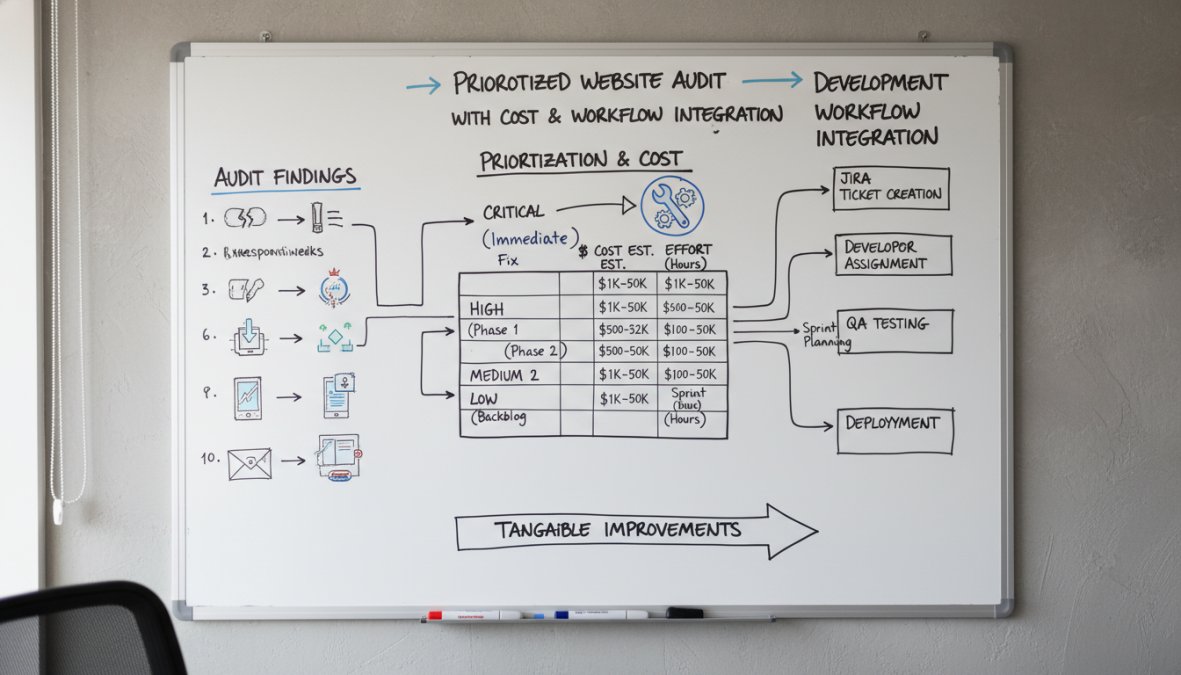
Prioritized Website Audit Checklist with Cost & Workflow Integration
Here's a checklist that not only identifies common SEO audit issues but also provides estimated costs for fixing them, suggests integration points with development workflows (e.g., Jira, Asana), and highlights the impact on SEO rankings.
| Issue | Description | Estimated Cost | Workflow Integration Point | SEO Impact |
|---|---|---|---|---|
| Broken Links | Links on your site that lead to non-existent pages. | $50-$200 | Bug tracking system | Medium |
| Missing Meta Descriptions | Pages lacking meta descriptions, impacting click-through rates. | $100-$300 | Content backlog | Medium |
| Slow Page Speed | Pages with slow loading times, affecting user experience and rankings. | $200-$1000 | Sprint planning | High |
| Duplicate Content | Multiple pages with identical or very similar content. | $150-$500 | Content strategy review | High |
| Mobile Usability Issues | Problems rendering correctly on mobile devices. | $300-$1500 | UI/UX design sprint | High |
| Missing Alt Text | Images lacking alt text, hindering accessibility and SEO. | $50-$200 | Content creation workflow | Low |
| Keyword Cannibalization | Multiple pages targeting the same keyword, diluting ranking potential. | $200-$800 | Content strategy review | Medium |
| Lack of Schema Markup | Absence of structured data, limiting search engine understanding. | $100-$500 | Technical SEO sprint | Medium |
| Thin Content | Pages with minimal or low-quality content, offering little value. | $200-$1000 | Content creation workflow | High |
| Crawl Errors | Issues preventing search engines from crawling your site effectively. | $100-$500 | Technical SEO sprint | High |
How to Prioritize SEO Fixes from Your Audit Report
Not all SEO issues are created equal. To effectively prioritize SEO fixes, consider these factors:
- Impact on SEO: Focus on issues that have the biggest impact on your website's visibility and rankings. This includes technical SEO issues like crawl errors, indexability problems, and mobile usability issues.
- Impact on User Experience: Address issues that negatively affect user experience, such as slow page speed, broken links, and poor mobile usability. A positive user experience is crucial for attracting and retaining visitors.
- Cost and Effort: Consider the cost and effort involved in fixing each issue. Some issues may be quick and easy to resolve, while others may require significant time and resources.
- Business Goals: Prioritize issues that align with your overall business goals. For example, if your goal is to increase conversions, focus on issues that impact conversion rates, such as optimizing landing pages and improving the checkout process.
ROI Calculator: Website Audit Fixes
Use this calculator to estimate the potential ROI of fixing specific website audit issues, considering factors like increased traffic, conversion rates, and revenue.
| Factor | Description | Example Value |
|---|---|---|
| Current Monthly Traffic | The number of visitors your website currently receives each month. | 10,000 |
| Conversion Rate Improvement | The expected percentage increase in your conversion rate after fixing issues. | 10% |
| Average Order Value | The average amount spent per order on your website. | $50 |
| Estimated Traffic Increase | The expected percentage increase in traffic after fixing SEO issues. | 20% |
Calculations:
- Increased Traffic: 10,000 * 20% = 2,000 new visitors
- Total Traffic: 10,000 + 2,000 = 12,000 visitors
- New Conversions: (10,000 * 10%/100) + (2,000 * 10%/100) = 1,200 new conversions
- Increased Revenue: 1,200 * $50 = $60,000

Integrating Audit Findings with Your Development Workflow
Integrating audit findings into your development workflow ensures that issues are addressed efficiently and effectively. Here's how:
- Choose a Project Management Tool: Use a project management tool like Jira, Asana, or Trello to track and manage website audit issues.
- Create Issues for Each Finding: Create a separate issue for each issue identified in the audit report. Include a detailed description of the issue, its impact on SEO and user experience, and any relevant data or screenshots.
- Assign Issues to Developers: Assign each issue to the appropriate developer or team member based on their skills and expertise.
- Set Priorities and Deadlines: Prioritize issues based on their impact on SEO and user experience, and set realistic deadlines for resolving them.
- Track Progress: Monitor the progress of each issue and ensure that they are being addressed in a timely manner.
- Test and Verify Fixes: After an issue has been resolved, test and verify that the fix is working correctly.
- Document Solutions: Document the solutions for each issue in a knowledge base or wiki for future reference.
Issue Tracking Template for Development Teams
Use this template (e.g., in Google Sheets or Excel) for tracking website audit issues, their status, assigned developers, estimated costs, and impact on SEO.
| Issue ID | Description | Status | Assigned To | Estimated Cost | SEO Impact | Resolution Date |
|---|---|---|---|---|---|---|
| 1 | Broken Link on Homepage | To Do | John Doe | $50 | Medium | |
| 2 | Missing Meta Description on Product Page | In Progress | Jane Smith | $100 | Medium | |
| 3 | Slow Page Speed on Mobile | Completed | Peter Jones | $200 | High | 2026-04-01 |
Long-Term Monitoring and Maintenance After Fixing Audit Issues
Once you've fixed the issues identified in your website audit, it's crucial to implement a long-term monitoring and maintenance plan to prevent future problems and ensure ongoing website health. This includes:
- Regular Website Audits: Conduct regular website audits to identify new issues and track the performance of your website over time.
- Performance Monitoring: Monitor key performance metrics such as traffic, bounce rates, conversion rates, and page speed to identify potential problems early on.
- Security Monitoring: Implement security measures to protect your website from malware, hacking attempts, and other security threats.
- Content Updates: Regularly update your website's content to keep it fresh, relevant, and engaging.
- Software Updates: Keep your website's software, including your CMS, plugins, and themes, up to date to ensure compatibility and security.
The Impact of AI on Website Audits and Issue Identification
AI is transforming the landscape of website audits, offering new tools and capabilities for identifying and addressing issues. AI-powered audit tools can analyze vast amounts of data quickly and accurately, identifying patterns and trends that humans might miss. For example, AI can be used to identify duplicate content, analyze keyword cannibalization, and detect unusual traffic patterns. AI can also automate many of the manual tasks involved in website audits, such as checking for broken links, validating schema markup, and testing mobile usability. GrandRanker is an AI-powered SEO platform that automates your entire content pipeline, from keyword research to publishing. It finds high-volume, low-difficulty keywords through competitor analysis, generates fully optimized long-form articles (3,000+ words each), and auto-publishes them to your CMS on a schedule. Integrates natively with WordPress, Shopify, Webflow, Wix, Framer, and more, making it a great option to consider. Learn more about AI SEO tools
Tired of spending hours on website audits, only to later discover you've missed critical issues that are holding you back? GrandRanker is the AI-powered SEO platform that can help; it automates your entire content pipeline and finds high-volume, low-difficulty keywords through competitor analysis, so you can rest assured you're not missing anything. Plus, it integrates natively with WordPress, Shopify, Webflow, Wix, Framer, and more, saving you time and streamlining your workflow. Get started with GrandRanker and ensure your site is truly search-ready.
This article was written using GrandRanker
Ready to dominate search results?
Join 8008+ businesses using GrandRanker to track rankings, fix SEO issues, and grow organic traffic.
Buy NowFrequently Asked Questions
Many SEO audits overlook crucial aspects like mobile-friendliness beyond just responsiveness, detailed schema markup implementation, and core web vitals optimization for specific page types. Internal linking structures are often superficially analyzed, missing opportunities to boost page authority. Furthermore, audits frequently fail to address content decay or keyword cannibalization, leading to diluted search rankings. A thorough technical SEO audit checklist should be used to minimize these oversights. Addressing these missed issues is vital for maximizing website performance and search visibility.
Website audits often miss issues due to a lack of depth in analysis, reliance on automated tools without human oversight, and failure to consider the specific business context. Many audits deliver a generic list of problems without prioritizing them based on impact or cost to fix. Insufficient attention to detail regarding technical SEO audit checklist items, like broken links in audit reports, also contributes to missed issues. A proper audit requires a blend of automated tools and expert analysis to identify and prioritize actionable fixes.
Prioritize fixing issues from a website audit by focusing on those with the highest impact and lowest effort. Start with technical SEO issues that directly affect crawlability and indexability, such as broken links in audit reports or site speed problems. Then, address on-page optimization issues like missing meta descriptions or title tags. Finally, tackle content-related issues and off-page SEO factors. Consider the potential ROI of each fix and allocate resources accordingly. Addressing these issues is key to how to fix missed issues in website audits effectively.
Whether you can fix website audit issues yourself depends on your technical skills and the complexity of the problems. Simple fixes, such as updating meta descriptions or fixing broken links in audit reports, can often be done without developer assistance. However, more complex issues, such as optimizing site speed or implementing schema markup, may require technical expertise. If you're unsure, consider consulting with an SEO professional to ensure the fixes are implemented correctly and don't cause further problems. Knowing how to fix missed issues in website audits is crucial for long-term success.
Ignoring missed audit issues can lead to a gradual decline in website performance and search rankings. Unaddressed technical SEO problems can hinder crawlability and indexability, while content issues can result in lower engagement and conversion rates. Over time, these missed issues can accumulate and negatively impact your website's overall visibility and authority. Regularly addressing audit findings and implementing necessary fixes is essential for maintaining a healthy and high-performing website. This proactive approach is key to how to fix missed issues in website audits.