
Key Takeaways
- What Page Experience Actually: What Page Experience Actually Means for Your Rankings
- Core Web Vitals as a Ranking Factor: The 2026 DataLargest Contentful Paint (LCP)Interaction to Next Paint (INP)Cumulative Layout Shift (CLS)
- Largest Contentful Paint (LCP): Largest Contentful Paint (LCP)
- Interaction to Next Paint: Interaction to Next Paint (INP)
- Cumulative Layout Shift (CLS): Cumulative Layout Shift (CLS)
- How Page Experience Signals: How Page Experience Signals Influence Search Rankings
What Page Experience Actually Means for Your Rankings
Does page experience affect Google rankings? The answer is direct: yes, it does. In 2026, page experience has evolved from a minor ranking consideration into a measurable, quantifiable factor that directly influences where your content appears in search results. According to Big Fin SEO's 2026 ranking factors analysis, Core Web Vitals now account for roughly 28% of ranking weight, making site performance a direct ranking signal rather than just a tiebreaker.
This matters because the gap between a fast site and a slow one isn't small anymore. When page load time increases from 1 to 3 seconds, the probability of a user bouncing rises by 32%, according to LMA Marketing + Advertising research on website speed impact. At 5 seconds, that bounce risk jumps to 90%. Those aren't just user experience problems, they're ranking problems.
At GrandRanker, we've analyzed thousands of websites to understand how page experience translates into actual ranking movements. What we've found is that the sites ranking in the top three positions pass Core Web Vitals 50.8% of the time, compared to 44.2% for page-two results. That gap exists because Google's algorithm rewards sites that keep visitors engaged, and slow sites lose visitors fast.
The real shift in 2026 is this: page experience is no longer something you optimize after you've handled keywords and content. It's part of the foundation. Pages with strong experience signals rank 30% more often in the top three search results. This isn't theoretical. It's measurable across millions of ranking positions.
Core Web Vitals as a Ranking Factor: The 2026 Data
Core Web Vitals are Google's standardized measurements of how a page performs from a user's perspective. They measure loading speed, interactivity, and visual stability. Only 33% of sites pass all three Core Web Vitals thresholds simultaneously, which tells you something important: most websites have optimization opportunities sitting right in front of them.
The three metrics are Largest Contentful Paint, Interaction to Next Paint, and Cumulative Layout Shift. Each one measures a different aspect of user experience, and each one affects how Google evaluates your site. The data shows that among failing ranking pages, 67% fail on LCP and 60% fail on INP, versus 42% on CLS. That means loading speed and interactivity are the biggest failure points where sites lose ranking potential.
Largest Contentful Paint (LCP)
Largest Contentful Paint measures how quickly the main content loads on a page. It's the time it takes for the largest visible element (usually a hero image, headline, or video) to render on the screen. Google's threshold is 2.5 seconds, anything slower starts to hurt your rankings.
Why does LCP matter so much? Because it's the first signal that a page is actually working. Users see something appear on screen, and they decide whether to stay or bounce. A 1-second delay in page load time can result in a 7% drop in conversions, according to Digital Applied's 2026 page load analysis. That conversion drop translates directly into lower engagement signals, which Google interprets as a sign your content isn't resonating.
The challenge with LCP is that it's often invisible to site owners. A page might load quickly on your high-speed desktop connection but crawl on mobile networks. Mobile-first indexing means Google judges your site primarily on how it performs on slower connections and older devices. Failing Core Web Vitals on mobile is more damaging than on desktop because of this mobile-first approach.
Interaction to Next Paint (INP)
Interaction to Next Paint replaced First Input Delay in 2024 and measures how responsive your page is when users interact with it. Click a button, scroll the page, or tap a form field, INP measures the delay between that interaction and the browser's response. Google's threshold is 200 milliseconds.
INP is where many sites fail because it requires optimizing JavaScript execution. Heavy JavaScript, unoptimized event handlers, and render-blocking resources all contribute to slow INP scores. The problem compounds on mobile devices, where processing power is limited.
Why is this a ranking factor? Because responsiveness is a core part of user experience. A page that feels sluggish or unresponsive signals poor quality to both users and Google's algorithm. Sites that have invested in cleaning up their JavaScript tend to see faster rankings for competitive keywords.
Cumulative Layout Shift (CLS)
Cumulative Layout Shift measures visual stability, how much elements move around as the page loads. Ads that load late and push content down, images without specified dimensions, or fonts that swap mid-load all contribute to CLS. Google's threshold is 0.1.
CLS is the least damaging of the three metrics to rankings, but it still matters. A site with poor CLS frustrates users, increases accidental clicks, and signals a lack of technical polish. More importantly, fixing CLS is often the easiest of the three to address, which makes it a quick win if you're just starting to improve page experience.
How Page Experience Signals Influence Search Rankings
Page experience signals influence rankings because they measure something Google cares deeply about: whether your site keeps visitors engaged. When a page loads slowly, becomes unresponsive, or shifts around, users leave. Google's algorithm detects that abandonment and interprets it as a signal that your content isn't meeting user needs.
The relationship between page experience and rankings isn't magical. It's mathematical. Google processes billions of user interactions every day. When users consistently bounce from slow pages and stay on fast ones, that pattern becomes a ranking signal. The algorithm learns which pages keep visitors engaged and rewards them with higher positions.
This is where the data gets interesting. In 2026, 76% of all sessions originated from Google search, according to UNC School of Medicine web traffic analysis. That means Google has massive amounts of real-world user behavior data to train its algorithm. When your page loads slowly and users bounce, Google sees it. When your page is responsive and users stay, Google sees that too.
The practical implication is this: you can't rank your way out of a bad page experience. You can't write the perfect keyword-optimized content and expect it to rank if your page is slow. Google will show faster competitors instead, even if their content is slightly less relevant. The algorithm has learned that users prefer fast, responsive sites, and it optimizes for that preference.
Mobile vs. Desktop: Where Page Experience Matters Most
Mobile is where page experience matters most, and the data is clear on this. Over 50% of web traffic comes from mobile applications, and 63% of all internet traffic in the U.S. comes from mobile devices. Google's mobile-first indexing means the platform evaluates your site primarily based on how it performs on smartphones.
The challenge is that mobile environments are unpredictable. Network speeds vary dramatically. A user on a 5G connection in a city experiences a completely different page than a user on a 3G connection in a rural area. Google's Core Web Vitals are measured against real-world field data, which means your mobile experience is judged against how your site actually performs for real users, not in a lab.
This creates a paradox: your desktop site might pass all Core Web Vitals thresholds while your mobile site fails. In 2026, failing Core Web Vitals on mobile is more damaging than on desktop because Google prioritizes mobile performance. A strong desktop score will not compensate for a poor mobile LCP. The algorithm looks at mobile first.
The implication for rankings is significant. If you're optimizing page experience, mobile must be your priority. Test your site on actual mobile devices and networks, not just your high-speed desktop. Use tools that measure field data from real users, not just lab data from controlled environments. Your mobile visitors are your ranking signal.
How to Improve Page Experience Score and Boost Rankings
Improving page experience requires technical work, but it's work that directly impacts your rankings. The sites that have invested in page experience improvements have seen measurable ranking gains. One case study shows that when Vodafone improved their Largest Contentful Paint by 31%, they saw an 8% increase in sales. That's the kind of result that justifies the investment.
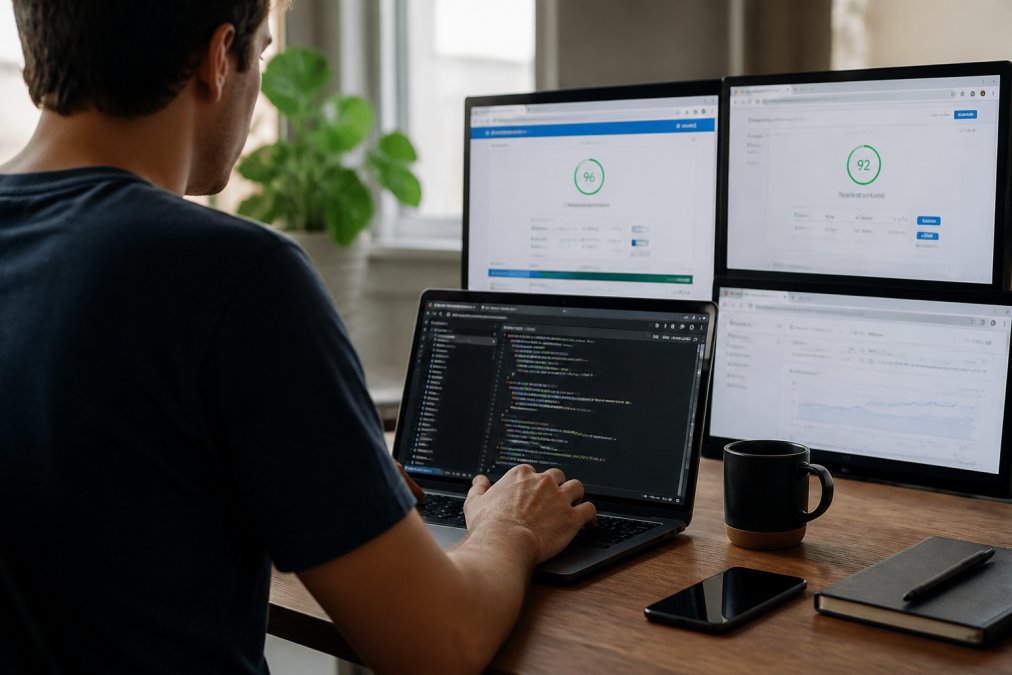
The process starts with measurement. You can't improve what you don't measure. Use Google's PageSpeed Insights, the Chrome User Experience Report, or tools like WebPageTest to get a baseline. Measure your actual Core Web Vitals scores, not just lab scores. Then identify which metric is your biggest opportunity: LCP, INP, or CLS.
Optimize Images and Media
Images are often the biggest culprit in slow page loads. An unoptimized image file can be 10 times larger than necessary. The fix is straightforward: compress images aggressively, use modern formats like WebP, and specify image dimensions so the browser can allocate space before the image loads.
Lazy loading is critical here. Lazy loading defers the loading of images below the fold until the user scrolls to them. This keeps your LCP fast because the browser isn't waiting to load images the user can't see yet. Implement lazy loading on all images except those above the fold.
Video is another area where optimization matters. Don't embed full-resolution videos on your page. Use a thumbnail with a play button instead, and load the video only when the user clicks. This keeps your initial page load fast while still providing video content for users who want it.
Reduce JavaScript Bloat
JavaScript is often the invisible performance killer. Every script on your page, analytics, ads, chat widgets, third-party embeds, contributes to INP problems. The solution is to audit your scripts and remove anything that isn't essential.
For scripts you need to keep, defer their loading. Use async or defer attributes so they don't block the main thread. Minify and compress your JavaScript. Break large bundles into smaller chunks that load only when needed. Code splitting means users download only the code required for the page they're viewing, not the entire application.
Third-party scripts are especially problematic. Analytics tools, ad networks, and chat widgets can add hundreds of kilobytes to your page and slow down interactivity. Load them asynchronously and consider sandboxing them so they don't block your main content.
Implement Lazy Loading
Lazy loading isn't just for images. Implement it for iframes, embeds, and any heavy content below the fold. The principle is the same: don't load content the user can't see yet. This keeps your initial page load fast and your LCP score strong.
Lazy loading also improves perceived performance. The page feels faster because the visible content loads first. Users see your content quickly, even if the full page takes longer to fully load.
| Optimization | Impact on Metric | Effort Level | Expected Improvement |
|---|---|---|---|
| Image optimization | LCP | Low | 10-30% faster |
| JavaScript reduction | INP | Medium | 15-40% faster |
| Lazy loading | LCP | Low | 5-20% faster |
| Font optimization | LCP | Low | 5-15% faster |
| Server response time | LCP | High | 20-50% faster |
Real-World Case Studies: Page Experience and Ranking Impact
The data on page experience and rankings isn't just theoretical. Real websites have implemented these improvements and seen measurable results. A small firm in California redesigned their website layout to simplify structure, add relevant images, and include 4 clear CTA buttons and an instant chat option after ranking #1 on Google but getting no leads. Within a week, the site started generating 5-6 qualified inquiries every week. The page experience improvements didn't just help rankings, they converted visitors into customers.
Another case shows the power of category optimization combined with page experience. An Italian restaurant in Chicago switched their primary Google Business Profile category from 'Restaurant' to 'Italian Restaurant'. Their maps ranking moved from position 12 to position 2 for 'Italian restaurant Lincoln Park', with a 312% increase in direction requests and 184% increase in phone calls from the profile in 90 days. While this case focuses on local SEO, it demonstrates how technical improvements and proper optimization work together.
CMA Academy provides a longer-term example. They switched from paid ads to a comprehensive SEO and content strategy, including website audit for technical issues and optimizing existing blog posts. Average monthly revenue grew by 124.57%, and total transactions credited to organic traffic grew by 395.12% within a year. This case shows that page experience improvements are part of a larger strategy, but they're a critical part.
The common thread across these cases is that page experience improvements were combined with content strategy and proper optimization. Page experience alone won't rank you. But page experience combined with good content, proper keyword targeting, and technical SEO creates a compounding effect.
The Bottom Line: Page Experience Matters More Than Ever
In 2026, does page experience affect Google rankings? The answer is unambiguous. Page experience accounts for 28% of ranking weight, and sites with strong experience signals rank 30% more often in the top three results. This isn't a minor factor you can ignore. It's a core component of Google's ranking algorithm.
The shift toward page experience as a primary ranking factor reflects a fundamental truth: Google's business depends on users finding what they're looking for quickly and easily. Slow, unresponsive sites damage that mission. Google rewards fast, responsive sites because they serve users better.
The opportunity is clear. Only 33% of sites pass all three Core Web Vitals thresholds. That means two-thirds of the web has optimization opportunities sitting right in front of them. If you're competing in a space where most sites have poor page experience, improving yours is a competitive advantage that translates directly into rankings.
The work required is technical, but it's not impossible. Start with measurement. Identify your biggest bottleneck, LCP, INP, or CLS. Address that first. Optimize images, reduce JavaScript, implement lazy loading. Test on real mobile devices and networks. The investment pays for itself through improved rankings, lower bounce rates, and higher conversion rates.
Page experience is no longer a nice-to-have optimization. It's a requirement for ranking in competitive spaces. If your site is slow or unresponsive, you're competing with one hand tied behind your back. GrandRanker helps you identify page experience issues and optimize your site for both users and search engines. With AI-powered analysis and automated optimization recommendations, you can improve your Core Web Vitals scores and boost your rankings without the guesswork. Start your free trial and see how page experience improvements can transform your organic traffic.
Ready to dominate search results?
Join 8020+ businesses using GrandRanker to track rankings, fix SEO issues, and grow organic traffic.
Buy NowFrequently Asked Questions
Yes. In 2026, Core Web Vitals account for roughly 28% of ranking weight—making page experience a direct ranking signal, not just a tiebreaker. Pages with strong experience signals rank 30% more often in the top three search results. However, content quality remains the primary factor. Page experience works alongside relevance and authority to determine where your page lands.
The three Core Web Vitals are Largest Contentful Paint (LCP), Interaction to Next Paint (INP), and Cumulative Layout Shift (CLS). Only 33% of websites pass all three simultaneously. Among failing ranking pages, 67% fail on LCP and 60% fail on INP, indicating that loading speed and interactivity are the biggest barriers. Passing all three puts you ahead of most competitors.
Start with the biggest impact areas: optimize images (compress and use modern formats), reduce JavaScript bloat, and implement lazy loading for below-the-fold content. Test your site using Google PageSpeed Insights or Chrome User Experience Report data. Mobile optimization is critical—failing Core Web Vitals on mobile is more damaging than on desktop due to Google's mobile-first indexing. A 1-second delay in load time can drop conversions by 7% and hurt rankings.
Yes. A site with poor Core Web Vitals might rank position three but receive 40% fewer clicks than a site ranking position two with excellent page experience. Users bounce when pages load slowly—a 3-second load time increases bounce probability by 32%, and at 5 seconds it jumps to 90%. This user behavior signals poor experience to Google, which can eventually lower your ranking.
Continue Reading
More guides to level up your SEO strategy.