
How to add a blog to Replit.
Point blog.yourapp.com at a hosted blog with one CNAME record, and your Replit app stays as it is. Or paste one prompt into Replit Agent.
14-day money-back guarantee
What are the ways to add a blog to Replit?
Replit has no blog feature. Only one way needs no code.
- Blog pages built in Replit
- Your workCMS, sitemap and every article
- What crawlers getSame as your app
- Headless CMS with custom code
- Your workCode and hosting to maintain
- What crawlers getDepends on your setup
- Hosted blog on a subdomain
- Your workOne DNS record
- What crawlers getPlain HTML for every crawler
| Option | Your work | What crawlers get |
|---|---|---|
| Blog pages built in Replit | CMS, sitemap and every article | Same as your app |
| Headless CMS with custom code | Code and hosting to maintain | Depends on your setup |
| Hosted blog on a subdomain | One DNS record | Plain HTML for every crawler |
Option 1: a hosted blog, no code
Four steps in GrandRanker, then one menu link in your app.
Pick a blog subdomain
Open Integrations, then Hosted Blog, and keep blog.yourapp.com. Never use your Replit app's own address.
Add one CNAME record
Copy the record into your DNS host, or click Connect Cloudflare. HTTPS turns on by itself, usually in minutes.
Articles publish every day
We find what your buyers search, write the articles and publish them as plain HTML any crawler can read.
Link the blog from Replit
Ask the Replit agent to add a Blog link to your menu. Visitors and crawlers then find it from yourapp.replit.app.
Option 2: let Replit Agent build the blog
In GrandRanker, open Integrations, then Replit, and copy the prompt with your secret. Paste it into Replit Agent, publish, then paste the webhook URL back.
Set up a blog in this app that receives articles from an external service. Do ALL of the following:

1. Create a database table named "articles" using this app's existing database and ORM, with columns: external_id (text, unique, not null), title (text), slug (text, unique), content_html (text), content_markdown (text), meta_title (text), meta_description (text), subtitle (text), category (text), author_name (text), image_url (text), read_time (text), word_count (integer), tags (json), faqs (json), json_ld_schema (json), language_code (text), published_at (timestamp), updated_at (timestamp, default now).

2. Add an app secret named GRANDRANKER_SECRET (a shared webhook key) with this value: <your secret from GrandRanker>
   If you cannot set the secret value yourself, ask me for it and I will paste it. Never hardcode the value in the code — always read it from the environment.

3. Create a POST endpoint at "/api/articles-webhook" on this app's server. The endpoint must:
   - Accept JSON request bodies up to 10 MB (articles contain full HTML — the default body size limit is too small).
   - Return HTTP 401 if the "X-API-Key" request header does not equal the GRANDRANKER_SECRET environment variable.
   - Respond HTTP 200 to GET and HEAD requests (health check).
   - On POST: parse the JSON body. If "event_type" is "publish_articles", upsert every item in data.articles into the "articles" table keyed on external_id. Build each row using ONLY these columns and IGNORE any other field in the payload (the payload contains extra fields the table does not have, such as author_initials and hreflang_tags — do not try to write them): external_id (from the item's "id"), title, slug, content_html, content_markdown, meta_title, meta_description, subtitle, category, author_name, image_url, read_time, word_count, tags, faqs, json_ld_schema, language_code, published_at (from "publish_date"), updated_at. If "event_type" is "unpublish_article", delete the row where external_id equals data.id. Return HTTP 200 on success.

4. Build a "/blog" page listing articles from the "articles" table (newest first), and a "/blog/:slug" page that renders one article's content_html, using meta_title and meta_description for SEO tags. On the article page, also output: a <link rel="canonical"> tag with the page's full URL, og:title / og:description / og:image / og:url meta tags, and — if json_ld_schema is present — a <script type="application/ld+json"> tag in the page <head>. Both pages must be readable by search engine and AI crawlers — serve the article content and meta tags in the initial HTML response (server-side), not only after client-side JavaScript runs. Requests for a slug that does not exist in the "articles" table must return HTTP status 404, not a 200 page.

5. Serve a real "/sitemap.xml" route that returns XML (Content-Type application/xml) listing the /blog page and every article's /blog/:slug URL with its updated_at as lastmod, generated from the "articles" table on each request. Make sure robots.txt allows crawling and points to the sitemap. The sitemap must NOT be swallowed by a catch-all route that returns the app's HTML.

After you finish, confirm the webhook is reachable at /api/articles-webhook.
The prompt in GrandRanker has your real secret in place of the placeholder.
Common mistakes when you add a blog to Replit
Most setup delays come from the DNS record. Check these first.
- Name became blog.yourapp.com.yourapp.com
- FixType just "blog" as the name
- You added an A record
- FixUse a CNAME record
- Status is not Live yet
- FixDNS takes minutes to hours. Leave the wizard open
- No Connect Cloudflare button
- FixYour DNS is elsewhere. Add the record by hand
- /sitemap.xml shows your app page (Option 2)
- FixAsk the agent for a real XML route before the catch-all
| Problem | Fix |
|---|---|
| Name became blog.yourapp.com.yourapp.com | Type just "blog" as the name |
| You added an A record | Use a CNAME record |
| Status is not Live yet | DNS takes minutes to hours. Leave the wizard open |
| No Connect Cloudflare button | Your DNS is elsewhere. Add the record by hand |
| /sitemap.xml shows your app page (Option 2) | Ask the agent for a real XML route before the catch-all |
Trusted by top performers

setup was easy and the articles are actually good?? did not expect that
Dec 4, 2025

we tried everything before this. nothing came close
Dec 2, 2025

the fact that it also writes AND publishes? yeah that's just unfair
Nov 14, 2025

better results. fraction of the cost. only regret is not switching earlier
Dec 28, 2025

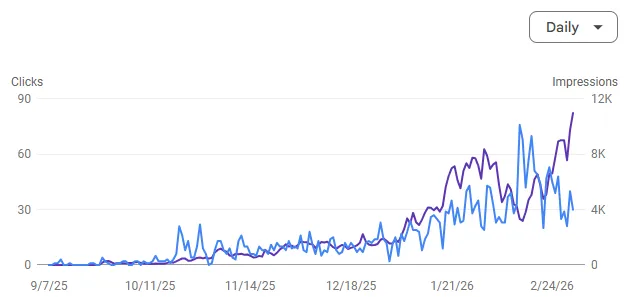
connected my blog, setup took 15 min, now getting organic traffic i never had. wild
Jan 3, 2026

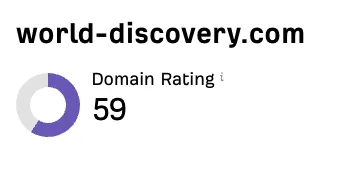
47 articles in a month, 12 already on page 1
the keyword research alone saves me hours every week
Nov 30, 2025

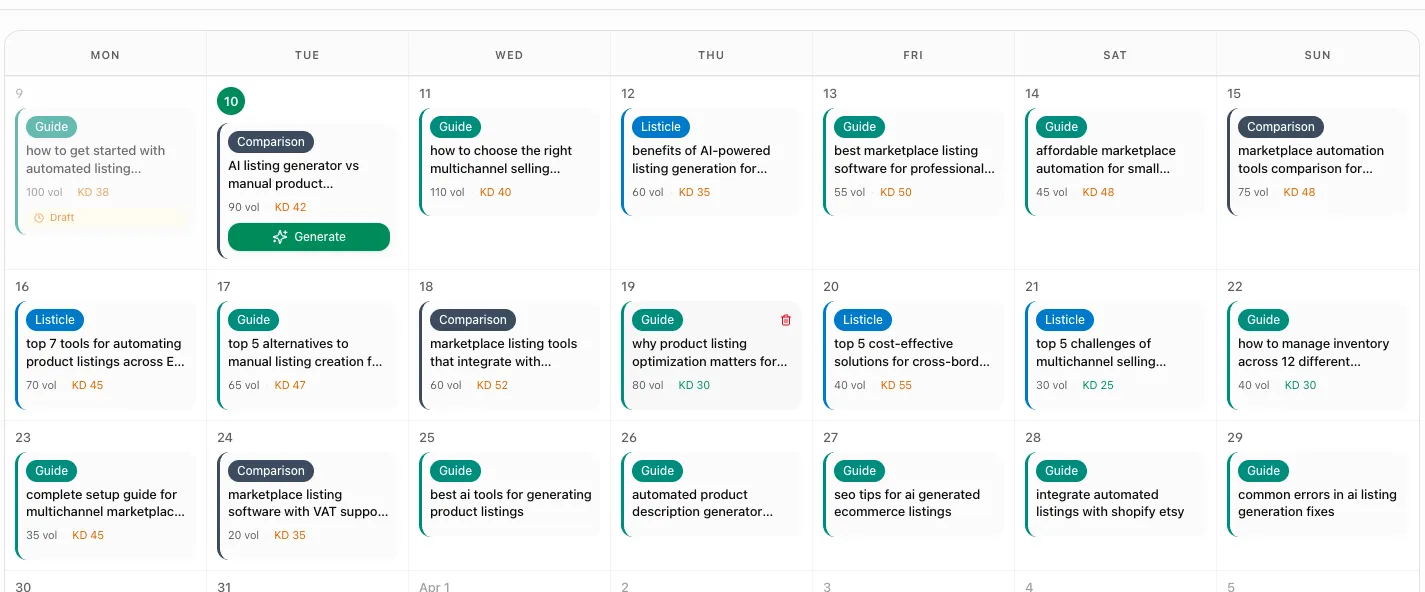
these aren't generic AI articles. they match my brand tone perfectly. actually impressed
Dec 10, 2025

but @grandranker articles actually read well. my audience hasn't noticed at all
Nov 5, 2025

@grandranker published 60 articles month one. already at 200+ daily visitors from google
Jan 12, 2026
Questions, answered
Short answers, with sources below.

Does Replit have a blog feature?
No. Replit builds and hosts apps, and its docs list no blog or CMS. You can ask Replit Agent to build blog pages, or point a subdomain at a hosted blog with one DNS record.
Which option is better for SEO?
The hosted blog. Every article is plain server-rendered HTML with its own sitemap, so any crawler reads it. With Option 2, check that the agent really serves /blog pages and /sitemap.xml from the server.
Do I need to change my Replit app?
No. You add one DNS record for the blog subdomain, and your app keeps running as it is. A Blog link in your app's menu is optional, but it helps visitors and crawlers find the blog.
How long does setup take?
The work takes a few minutes. DNS changes can take minutes to hours to reach every server, and HTTPS usually follows a few minutes after the record is right. The wizard checks again every 15 seconds.
How do I check that Google indexes the blog?
Add the blog address as a property in Google Search Console and submit blog.yourapp.com/sitemap.xml. Then run URL Inspection on one article. New articles appear in the sitemap by themselves.
Can the blog match my brand?
Yes. In the Blog designer, pick the Clean, Magazine or Editorial look, upload your logo and set your menu links. You can also add pages such as Imprint or Privacy.